Need help?
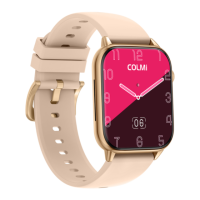
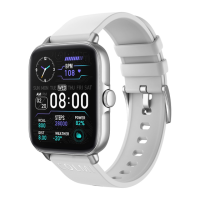
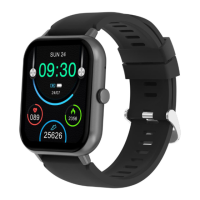
Do you have a question about the COLMI C61 and is the answer not in the manual?
Open the package, take out the watch and wear it.
Long press the button to turn on the smart watch.
Scan the QR code with your phone to download and set up the FitCloudPro app.
Align the magnetic charger with the watch's magnetic hole for charging.
Details on long pressing for power, shutdown, and menu navigation.
Steps to download FitCloudPro app and connect the smart watch via Bluetooth.
Instructions for navigating dial, menu, and function interfaces.
Setting alarms and using women's health reminders.
Using stopwatch, breathing training, and monitoring sports data.
Customizing display, language, vibration, and using control center functions.
Measuring heart rate, blood oxygen (SpO2), and tracking sleep.
Receiving messages, setting sedentary, and drink reminders.
Finding your phone, controlling music, and viewing weather.
Answers to common issues like power, Bluetooth, and inaccurate measurements.
Information on data synchronization via Bluetooth and connection status.
Guidance on product usage, waterproofing, and medical disclaimers.
 General
| Display Type | TFT |
|---|---|
| Resolution | 240 x 280 pixels |
| Water Resistance | IP67 |
| Battery Life | up to 7 days |
| Charging Time | 2 hours |
| Strap Material | Silicone |
| Compatibility | Android 4.4 and above, iOS 9.0 and above |
| Sensors | Heart rate sensor, Accelerometer sensor |
| Bluetooth | Bluetooth 5.1 |

 To Next Page