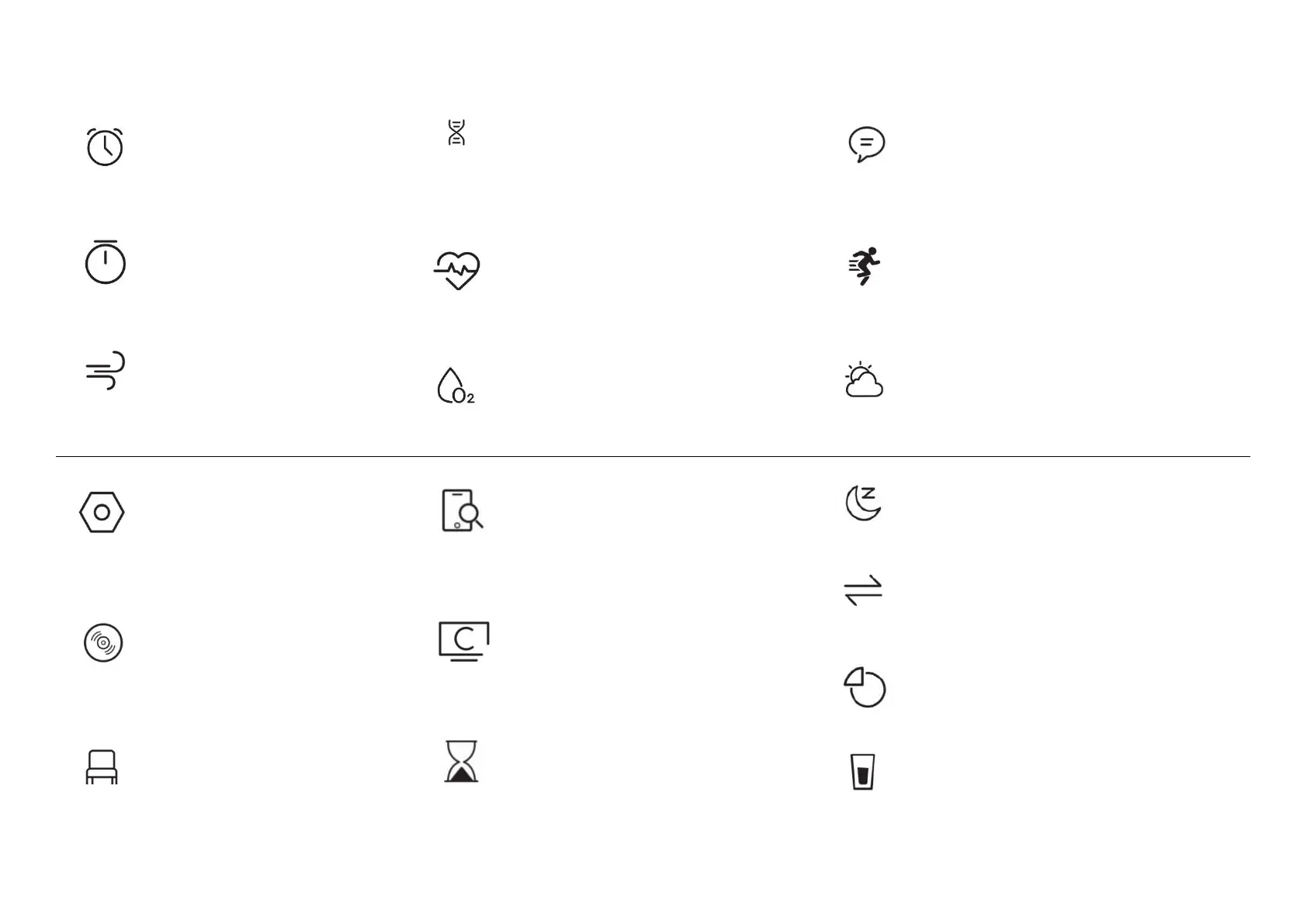
After the device is connected to the APP, click to find the
mobile phone, the mobile phone will ring to indicate that the
search is successful; if the watch is not connected to the APP,
the watch will prompt that it is not connected.
In the timing function, the system presets the commonly
used timing duration. Users can click the corresponding
duration to quickly time the timing, or click the custom
button to set the time. Click the start button to start the
timing, click the pause button to pause the timing, click
the reset button to reset the timing to zero.
Overview of functions: Do not disturb, turn on the wrist to
brighten the screen, brightness, settings, find mobile
phone, power saving mode, system
Find Phone
Control center
Timer
FUNCTION INTRODUCTION
After the smart watch is connected to the APP, you
can set a single mode alarm clock, a cycle mode
alarm clock, and a maximum of 5 alarm clocks.
Click the start button to start timing, click the pause
button to pause the timing, and click the reset
button to reset the timing to zero. Up to 99 pieces
of data can be saved.
There are 1 minute and 2 minute options for
breathing training. The user clicks the corresponding
duration to perform breathing training. After clicking
start, follow the icons in the breathing training to
zoom in and inhale, and zoom out and exhale.
When entering the heart rate measurement interface, the
bottom green light lights up to start the measurement, and
there will be a vibration reminder when the measurement
is completed in about 40 seconds. If it prompts "not
wearing the watch", you need to re-wear the watch.
After the device is connected to the APP, turn on the
women's health reminder on the APP, and you can view
the women's health reminder information on the watch.
When entering the blood oxygen measurement interface,
the green light at the bottom lights up to start the test for
30~60 seconds, and there will be a vibration reminder
when the measurement is completed. This measurement
is a measurement based on PPG technology.
Options for sports mode: walking, running, cycling,
mountaineering, yoga, elliptical machine, basketball, etc.,
click the icon to start the exercise interface.
After the device is connected to the APP, the weather
interface will display the real-time weather temperature
and content.
Breathing
Training
Women’s
health
Heart rate
SPO2
Sports
Weather
After the device is connected to the APP, open the
relevant message push on the APP port, the
device port can receive the corresponding
message push, and can save up to 15 recent
The functions of settings include screen display
(switching dials, brightness adjustment of the
screen time, turning the wrist to brighten the
screen), language, vibration intensity, menu style,
battery, QR code, and system.
After the device is connected to the APP, it can
control the pause and start of the mobile phone
music player, adjust the volume and switch songs.
Message
Settings
Sedentary
reminder
Display the sleep monitoring status of the day, and the
data is updated every day. When connecting to the APP,
the data can be saved synchronously, and the device will
recalculate the data information of the new day.
Display the number of steps, distance, and calories
recorded on the day. You can set the target number of
steps, distance, and calories in the APP.
Press and hold for 2 seconds on the main interface screen
to enter the watch dial switching interface, slide left and
right to switch the waiting watch dial, and click
It can be turned on in the 'Settings' ->'Drinking water
reminder' of the App. After turning on, you can set the
start, end time, and reminder interval.
Sleep
Dial
switch
Sports data
Drink
reminder
You can set the 'Sedentary reminder' to be turned on
in the APP. After turning it on, you can set the start,
end time, and do not disturb time period.


 To Next Page
 Loading...