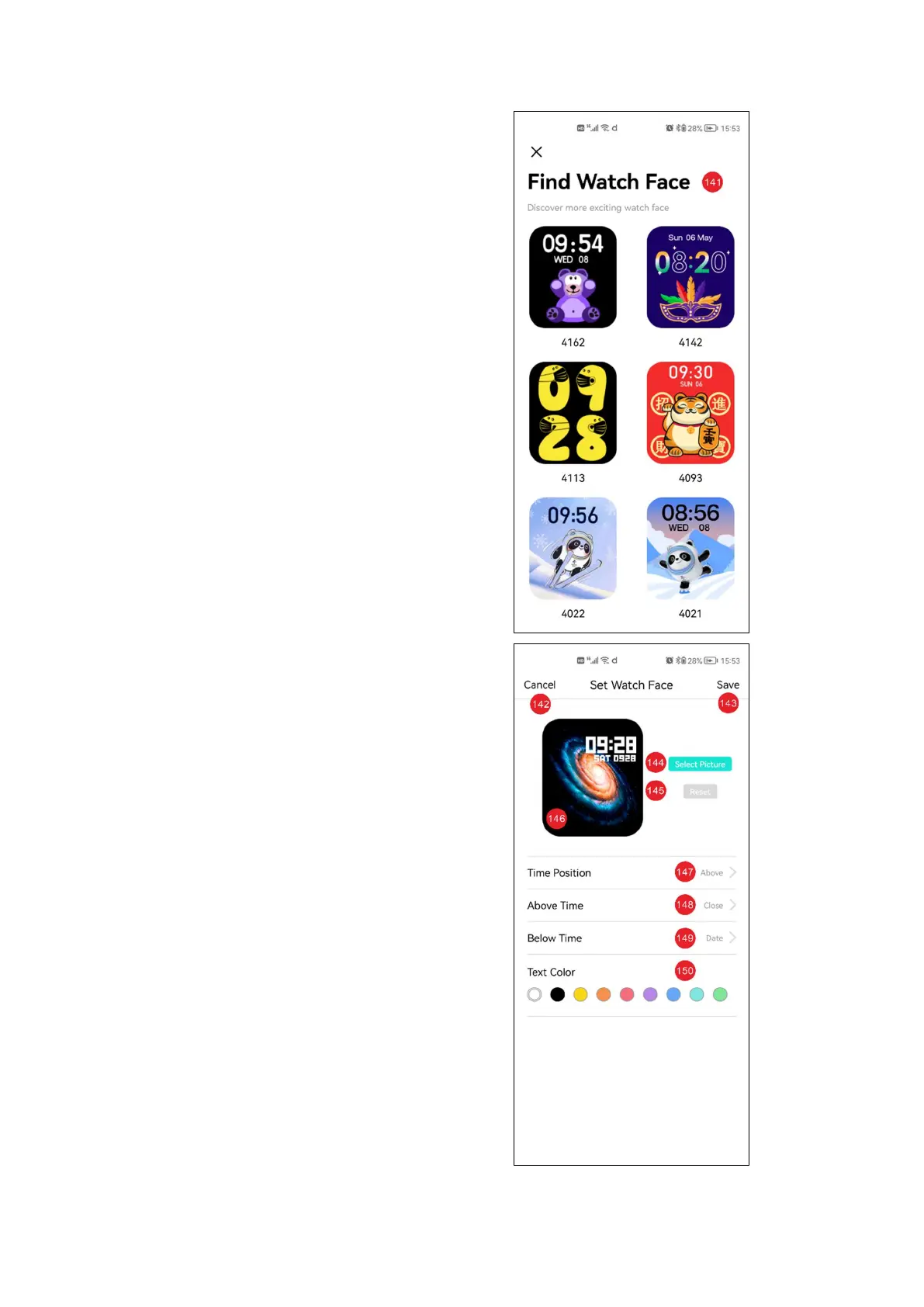
141: Dial market interface
142: Cancel editing dial
143: Save edit dial
144: Select dial picture
145: Reset edited content
146: Edit dial Preview
147: Time position
selection
148: Above Time data
selection, including date,
sleep, heart rate and step
count
149: Below time data
selection, including date,
sleep, heart rate and step
count
150: Text color selection


 To Next Page