Enter gender, height and weight.
※You can skip the input, or you can set it later.
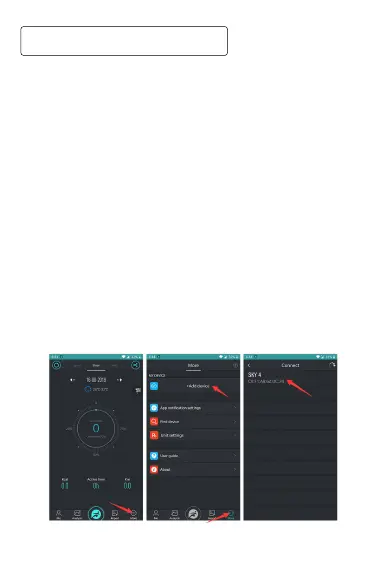
And click in the figure to add devices for more
health information.
After the setup is complete, you can set it from the center of the application.
①
③
②
Click on in the figure to select the device to be
added. If SKY 4 is not displayed, try the following.
(
※
Make sure the smart watch is turned on, hold the
smart watch close to the smartphone, and search the
smartphone app again).
①
③
②
Turn on bluetooth, turn on GPS, click on more, to
②
①
④ ③
⑤



 To Next Page