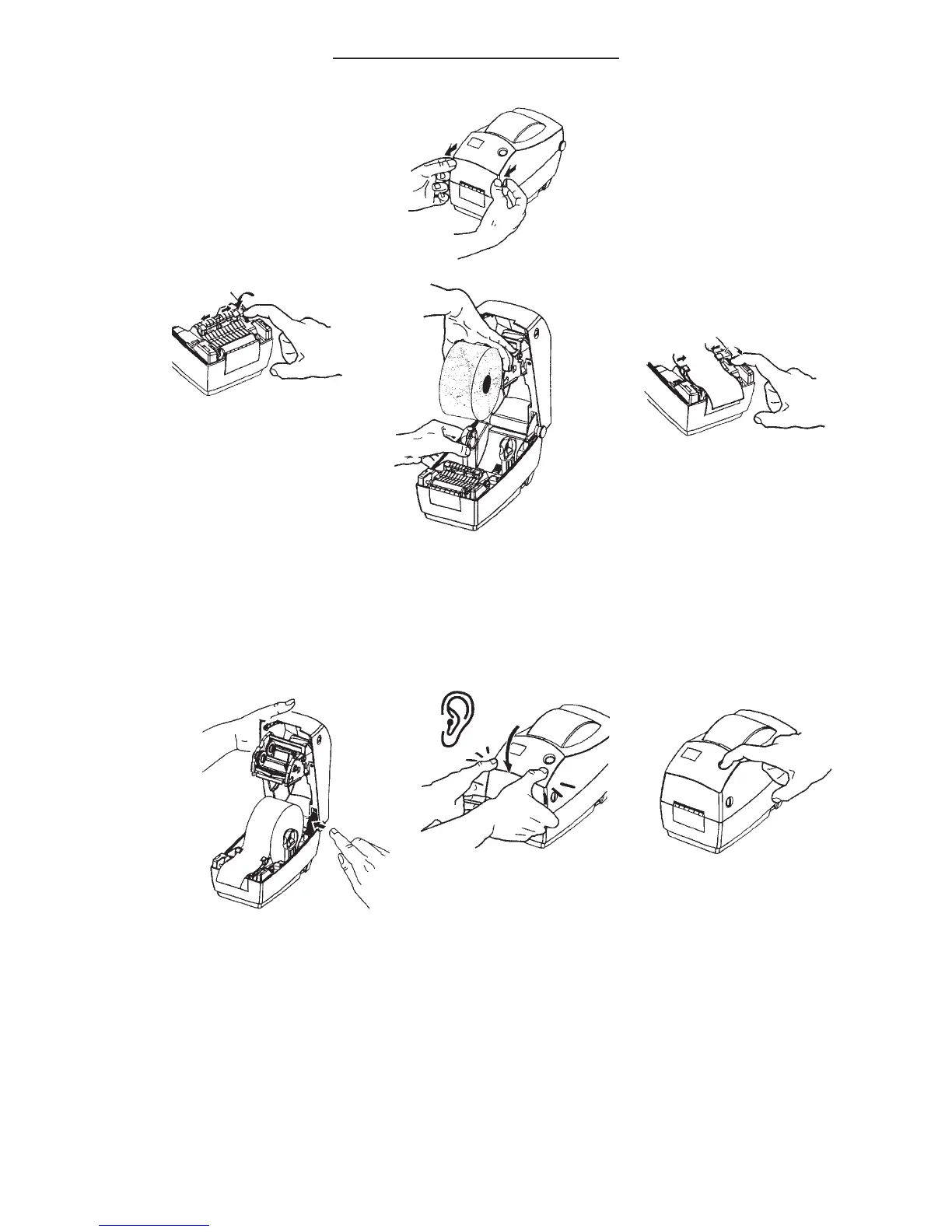
LOADING LABELS:
•
•
•
•
Open printer cover.
Load labels face up into holder and thread through the black label
guides. Adjust label guide by using the green control wheel (on
right). Do not over tighten or the labels will not feed freely and
properly.
Once tightened, release cover and shut. Press the feed button on
top of machine.
Perform the AutoSense adjustment when loading a new roll of
labels. (See next page for instructions)
4



 To Next Page