•
•
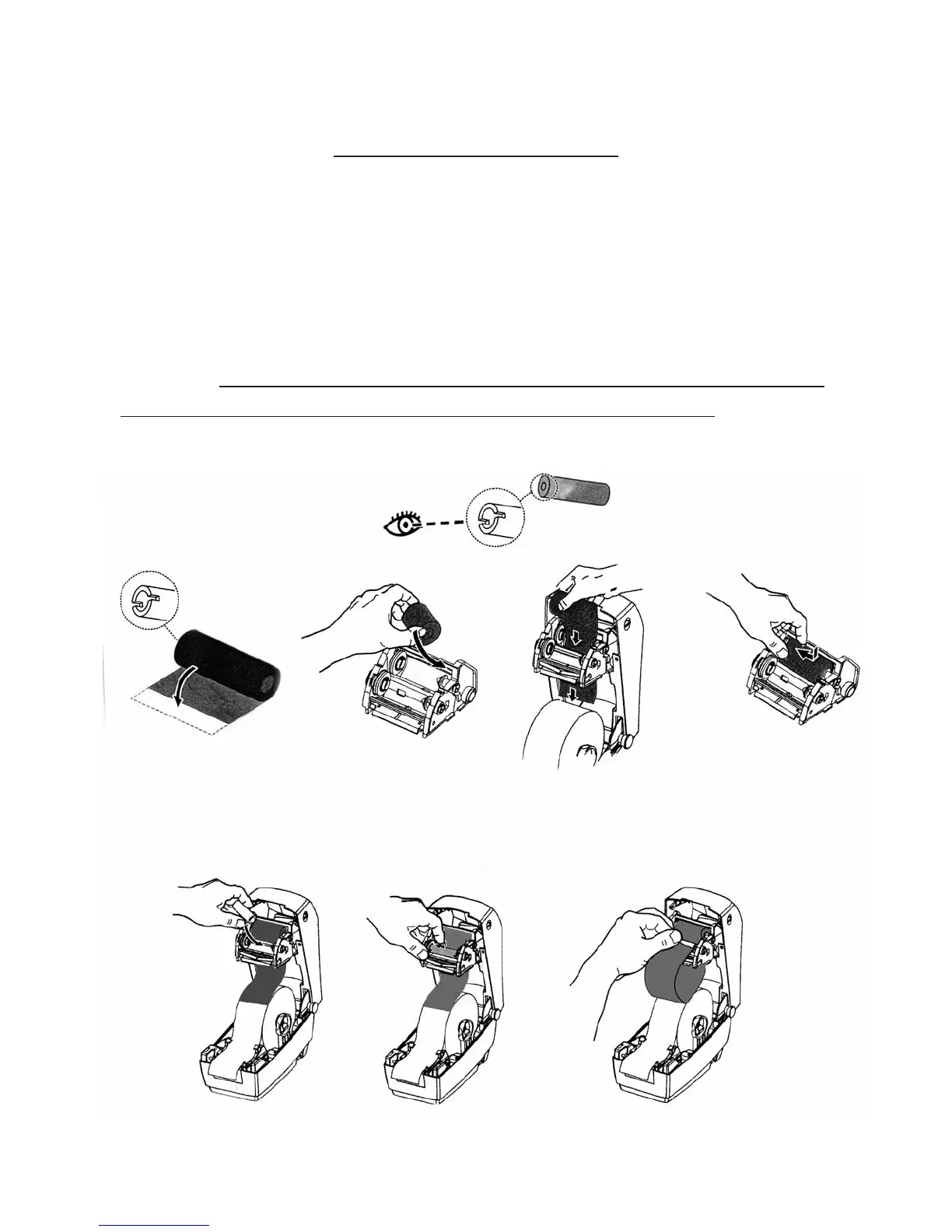
LOADING RIBBON:
Open printer cover. Pull ribbon carriage forward.
Attach ribbon roll to spring load closest to back of printer making
sure the notches on the ribbon core and the notches on the
machine are matching up together on the left side .
And continue to wrap ribbon under and up.
6
• Attach adhesive end of ribbon to cardboard ribbon core. Load this
roll to spring load closest to you.



 To Next Page