This 4-pin connector is for the chassis-mounted system warning speaker.
The speaker allows you to hear system beeps and warnings.
ATX power button/soft-off button (2-pin PWRSW)
This 2-pin connector is for the system power button.
Reset button (2-pin RESET)
This 2-pin connector is for the chassis-mounted reset button for system
reboot without turning off the system power.
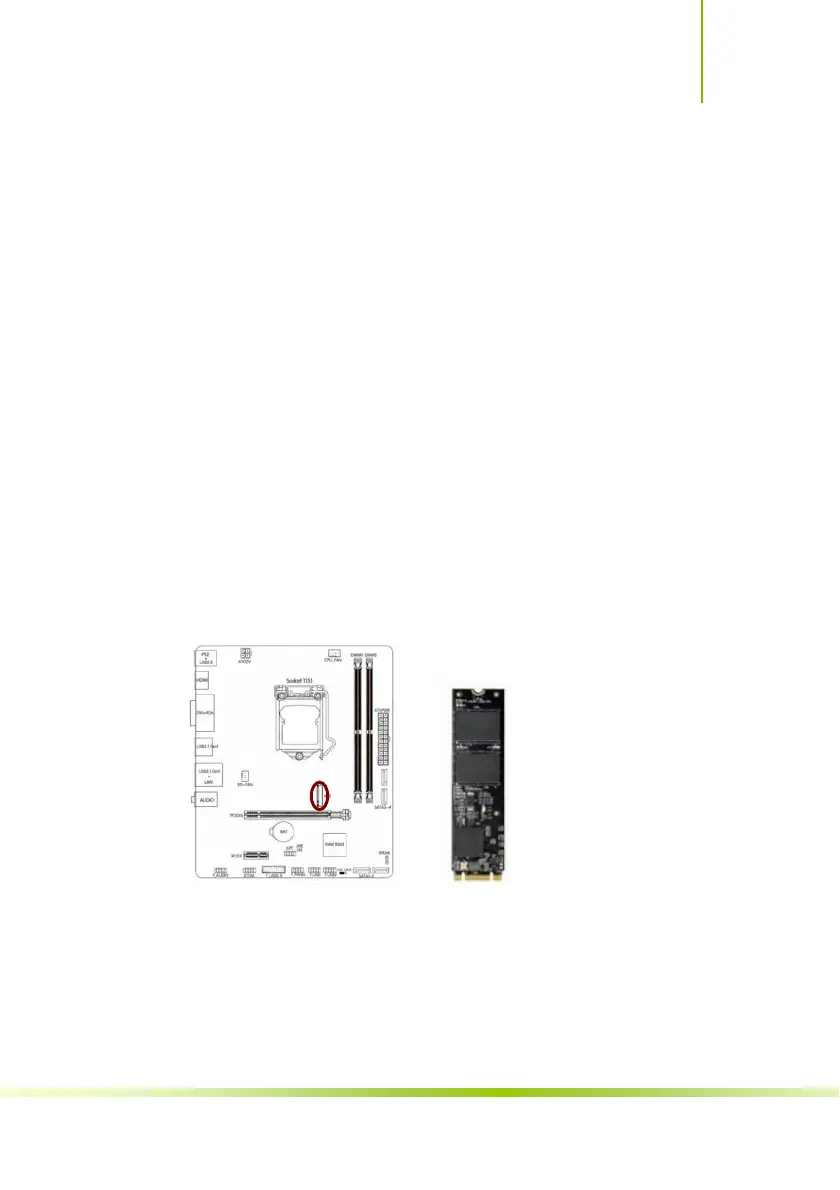
M.2 Slot
The motherboard has one M.2 slot,supports PCI-e X4 and Intel OPTANE,
and supports the 2242/2260/2280specification,the data transfer rate can
be as high as 32Gb/s.
Please install M.2 SSD correctly in the slot following the following steps:
1. please use a screwdriver to remove the screws and studs in order, and
then lock the stud first when the actual M.2 SSD is found to be suitable for
the screw hole position.
2. insert the M.2 SSD into the slot in a inclined angle.
3. press M.2 SSD, then lock the screw.
37
Hardware Installation








 To Next Page