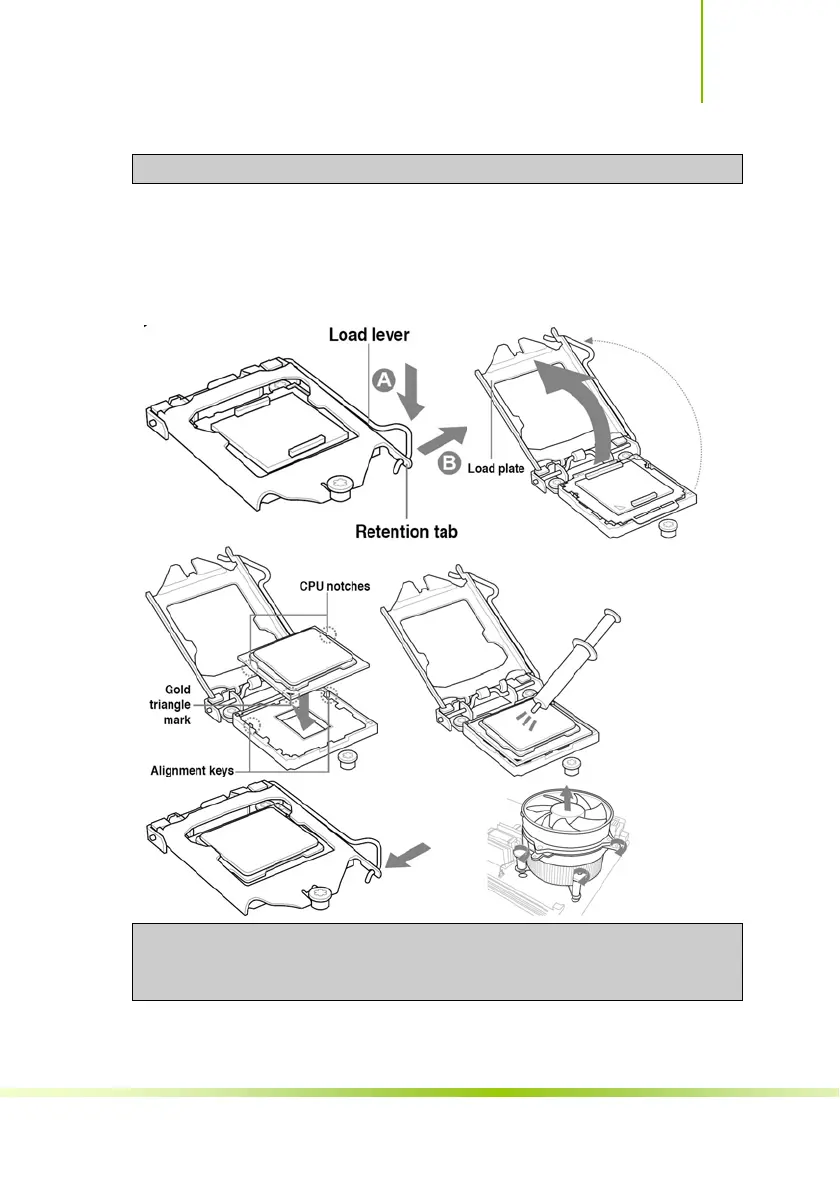
Make sure the CPU is fully seated and level in the socket.
7. Close the load plate over the CPU and press down while you
close and engage the socket lever.
8. There are many different fan types that can be used with this
motherboard. Follow the instruction that came with you fan
assembly. Be sure that the fan orientation is correct for your
chassis type and your fan assembly.
The CPU fits in only one correct orientation. DO NOT force the CPU
into the socket to prevent bending the connectors on the socket
and damaging the CPU!
31
Hardware Installation









 To Next Page