3
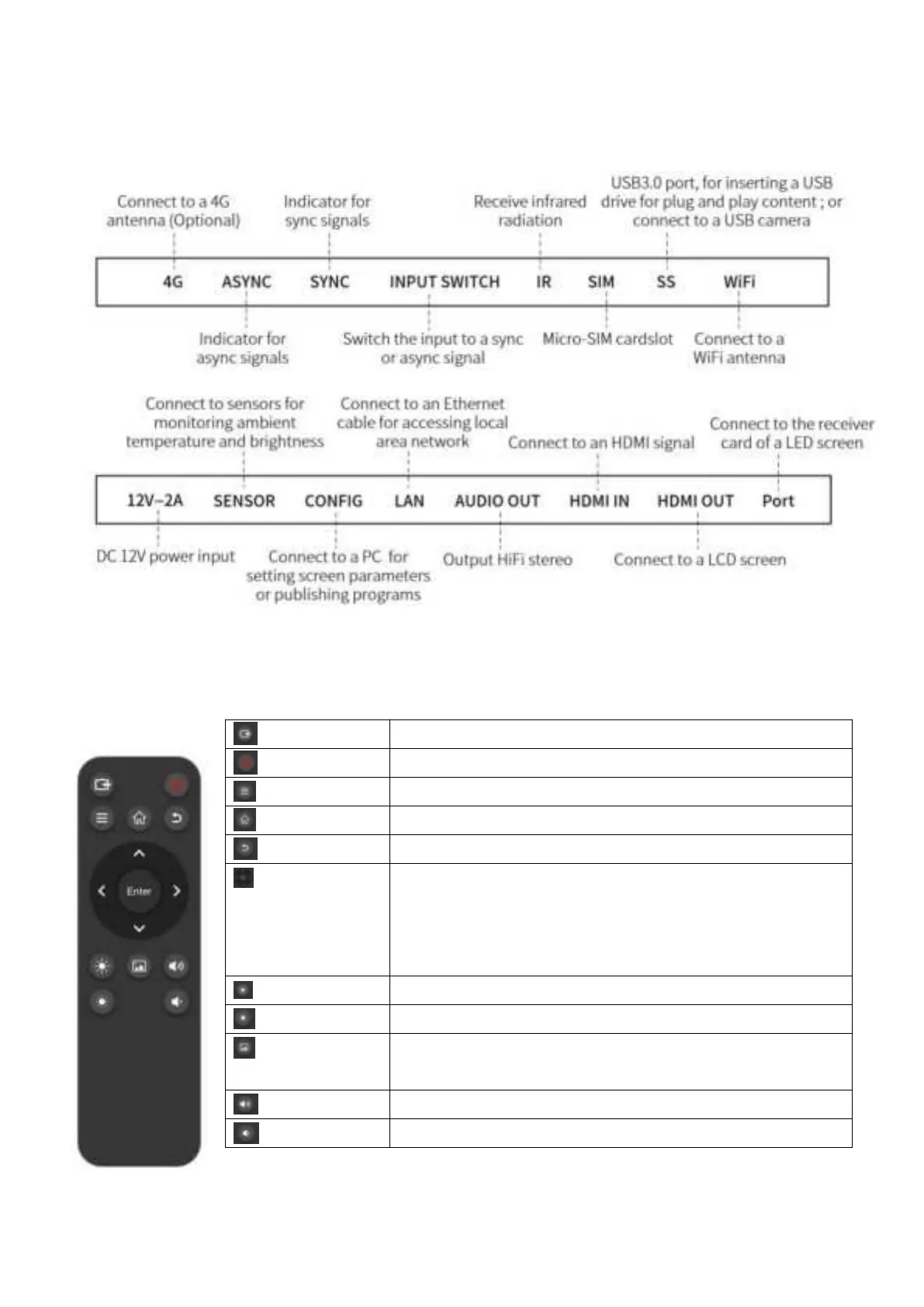
Note: The player must connect to a 4G antenna if it connects to the network via a 4G module.
Note: Ensure the distance between the remote control and the player does not exceed 10 meters.
Switch the input to a sync or async signal
Make the player sleep or wake up
Display device information
Return to the loop mode, and close all pop-up windows
Exit the INFO interface step by step
Use up and down arrows to switch the program source,
which is displayed in the upper-left corner;
Use right and left arrows to switch programs played on
repeat
Enter the gallery, in which you can use the “arrow” and
“enter” buttons


 To Next Page