7
EN
4. Unpacking
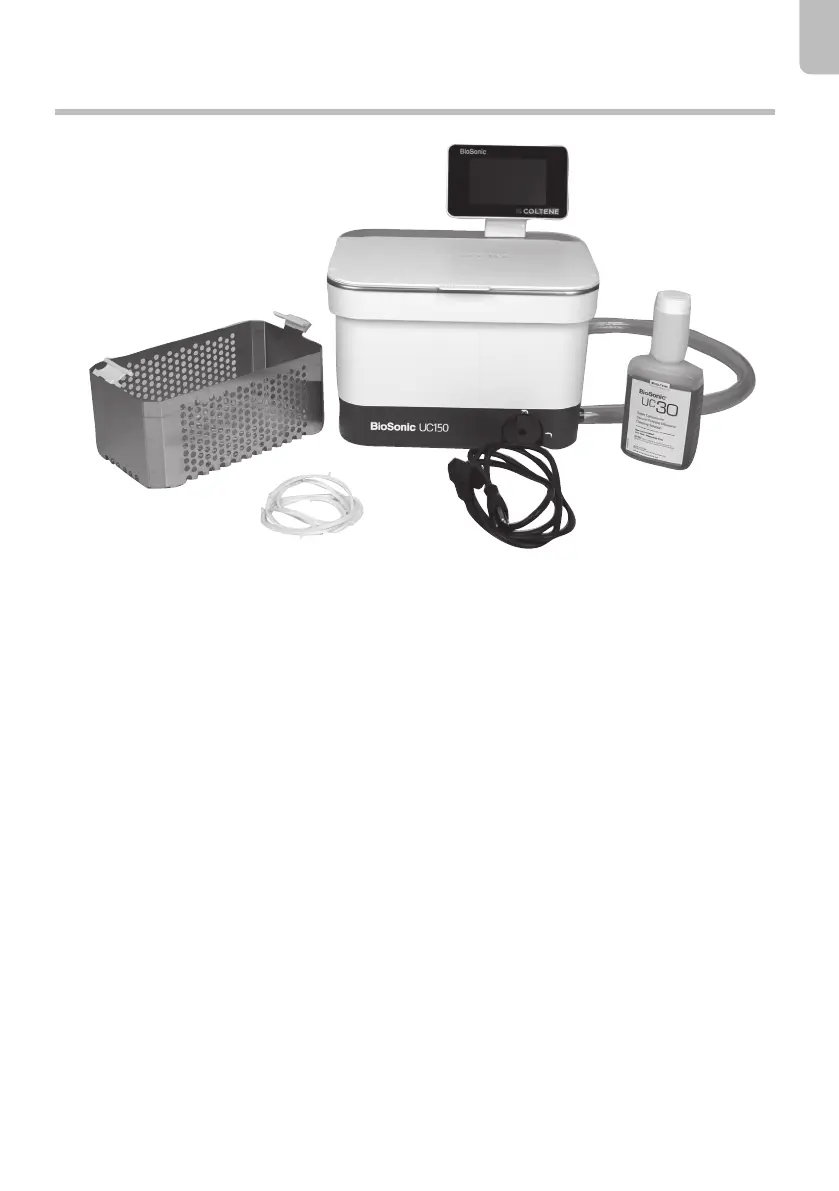
Figure 1 BioSonic UC150 Parts and descriptions (solution and power cord are dependant on market)
Contents
• BioSonic UC150
• Lid
• Basket
• Drain hose
• Owner's manual
• Quick start guide
• Performance test card
• BioSonic solution
• Recess gasket
• Recess template
• Remove your BioSonic UC150 from the shipping container and inspect the unit for any possible
damage which may have occurred during shipping.
• Check the serial number of the unit (found on either the underside or rear of the unit) with the
number on the shipping carton. If they are not identical, contact your dealer.
• Register your product warranty at: http://warranty.coltene.com


 To Next Page
 Loading...