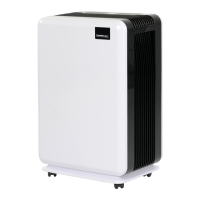
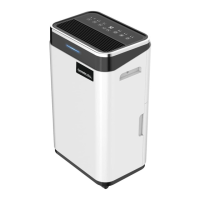
Setting up instructions
Remove all the strips of adhesive tape which were used as transport braces. Make sure that
the device is stood securely on a dry surface.
Ensure that the device cannot cause any water damage if water were to escape from the water
tank.
Before you start the device, always let it stand in its final position for at least 2 hours to allow
the refrigerant to settle and ensure that there is no risk of damage to the compressor.
Make sure that the device is not exposed to direct sunlight.
Check that the float is correctly positioned and moves easily.
Make sure that the water tank is correctly positioned.
Make sure that the socket outlet is fitted with a residual current protective device
circuitbreaker (earth-leakage circuit-breaker).
If you are unsure whether this is the case, ask your electrician or use a personal protection
plug (available from your DIY store).
To save power and to avoid potential danger, disconnect the device when it is not operated.
Starting up
Check the cable for damage before you insert the power plug. The device may only be used if
the power cable is in flawless condition. Plug in the power cable and switch the unit with the
ON/OFF switch.
IMPORTANT: Always allow the device to run for at least 35 minutes before you switch it off,
and never switch it on and off continuously in quick succession. Otherwise there is a risk of
damage to the compressor.
The higher the humidity in a room and the higher the temperature in that room, the more
effectively the Comedes Demecto 10 can dehumidify the air.
The compressor therefore generates heat and warms up the air in the room. This is perfectly
normal and is no cause for alarm.
When the product shut down, please wait at least 3 minutes before moving the unit, so that all
water can run into the water tank.
ON-/OFF Button:
Press the ON-/OFF button to turn the unit on and off.
If the unit is switched on, the „operation“-LED flashs continuous.
If the unit is in defrost mode, the „operation“-LED flashs on and off.
After starting up the unit, it will start in „CO“ mode.
Speed:
Use the „Speed“ button to switch between high (HI) and low (LOW) fan speed.
Timer:
With the timer you can set the start- and run-time of the unit. You can set the time between1
and 24 hours.
When the time is up, the unit will switch on or off.
When the timer LED is off, the unit is running in continuous mode.
To set a start time, press the timer button when the unit is in standby.
To set the run time of the dehumidifier, press the timer button when the unit is switched on.
After setting the run time, the time will be shown for about 5 seconds on the display, then the
current humidity is displayed again.
If you press the timer button again, the current run time will be displayed again for 5 seconds.
Humiditiy setting:
The device is equipped with a modern hygrostat (humidistat) and turns off automatically after
reaching the desired humidity, to save power.


 To Next Page
 Loading...