5
EN
} To activate the doctor function press and hold for 3 seconds.
} To activate the privacy function set the ringtone volume to its minimum
level.
» Indicator LED 1 "doctor function enabled" lights up.
» Indicator LED 1 "privacy function enabled" lights up.
¹ For further information please contact your installer.
1
Key 1 (programmable)¹.
2
Key 2 (programmable)¹.
A Lock-release key (programmable)¹.
Audio key.
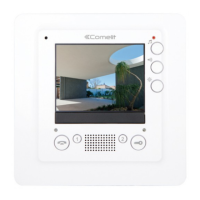
LEDs 2 and 4 flash on receipt of a call from the external unit, Fig. 2.
LED 4 flashes on receipt of any call.
} To enable/disable the audio press
. Wait for LED 4 to be lit steadily
before speaking.
} To enable the electronic door lock press
A .
Self-ignition
Intercom call
Alarm
Lock-release / actuator / enable output
» A confirmation tone will sound.
» The image from the corresponding external unit appears on the monitor.
» An intercom call is sent.
» An alarm signal is generated.
» Activates the corresponding door lock / relay / output.
Press the key repeatedly to toggle between external units (max. 10,
if present).
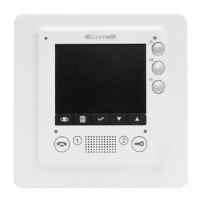
Description of button functions
Using the standard Smart ViP monitor functions
} Press (
1
/
2
) to enable the programmed function¹ (intercom call, self-
ignition, alarm, lock-release, actuator or enable output).


 To Next Page