EasyManua.ls Logo

Comelit Icona - User Manual

Comelit Icona
17 pages
Print Icon
To Next Page IconTo Next Page
Loading...
Icona 2-wire door entry monitor
Art. 6601W - Art. 6601W/BM
Passion.Technology.Design.
EN
TECHNICAL
MANUAL
Question and Answer IconNeed help?

Do you have a question about the Comelit Icona and is the answer not in the manual?

Summary

Warnings and Safety Information

General Usage and Maintenance Guidelines

Covers intended use, installation, wiring, safe usage, maintenance, and disclaimer for Comelit products.

Product Description and Components

Device Overview and Terminals

Details the Icona 2-wire door entry monitor's components: microphone, screen, buttons, loudspeaker, and terminals.

Button and Indicator Functions

Button Operation Modes and Features

Explains touch-sensitive activation, press-and-hold functions, Doctor mode, and Hands-Free operation.

Technical Specifications

Detailed Product Specifications

Provides comprehensive technical data including general, audio, electrical, hardware, settings, and environmental specs.

Installation Procedures

Flush-mounted Installation (Art. 6117)

Step-by-step guide for installing the door entry monitor in a flush-mounted box.

Surface Mounting Installation (Art. 6620)

Step-by-step guide for installing the door entry monitor using surface mounting or 503/round boxes.

System Connections

Wiring Diagrams and Accessories

Illustrates system wiring, connections, and details for call repetition device variants.

System Settings and Configuration

Unit Configuration and Power Supply

Guides on setting main/secondary monitors and managing power supply via DIP switches.

Button Programming

Basic Configuration and Function Legend

Details basic button functions via DIP switches and provides a legend for programming abbreviations.

Advanced Configuration

Intercom Call Programming

Instructions for programming general intercom calls, including DIP switch settings and button association.

Selective Intercom and Address Management

Covers programming selective intercom calls, assigning, and deleting device addresses.

Actuator Programming Methods

Details programming procedures for generic and coded actuators using DIP switches.

Other Functions and Programming Range

Explains programming other functions like Self Activation, CCS, and managing the programming range.

LED, Alarm, Lock-Release, and Ringtone Settings

Covers programming for LED indicators, alarms, lock-release, and changing the ringtone.

Programming Reset and System Layouts

Details how to reset programming to factory defaults and information on system performance and layouts.

Addressing Table

Summary

Warnings and Safety Information

General Usage and Maintenance Guidelines

Covers intended use, installation, wiring, safe usage, maintenance, and disclaimer for Comelit products.

Product Description and Components

Device Overview and Terminals

Details the Icona 2-wire door entry monitor's components: microphone, screen, buttons, loudspeaker, and terminals.

Button and Indicator Functions

Button Operation Modes and Features

Explains touch-sensitive activation, press-and-hold functions, Doctor mode, and Hands-Free operation.

Technical Specifications

Detailed Product Specifications

Provides comprehensive technical data including general, audio, electrical, hardware, settings, and environmental specs.

Installation Procedures

Flush-mounted Installation (Art. 6117)

Step-by-step guide for installing the door entry monitor in a flush-mounted box.

Surface Mounting Installation (Art. 6620)

Step-by-step guide for installing the door entry monitor using surface mounting or 503/round boxes.

System Connections

Wiring Diagrams and Accessories

Illustrates system wiring, connections, and details for call repetition device variants.

System Settings and Configuration

Unit Configuration and Power Supply

Guides on setting main/secondary monitors and managing power supply via DIP switches.

Button Programming

Basic Configuration and Function Legend

Details basic button functions via DIP switches and provides a legend for programming abbreviations.

Advanced Configuration

Intercom Call Programming

Instructions for programming general intercom calls, including DIP switch settings and button association.

Selective Intercom and Address Management

Covers programming selective intercom calls, assigning, and deleting device addresses.

Actuator Programming Methods

Details programming procedures for generic and coded actuators using DIP switches.

Other Functions and Programming Range

Explains programming other functions like Self Activation, CCS, and managing the programming range.

LED, Alarm, Lock-Release, and Ringtone Settings

Covers programming for LED indicators, alarms, lock-release, and changing the ringtone.

Programming Reset and System Layouts

Details how to reset programming to factory defaults and information on system performance and layouts.

Addressing Table

Overview

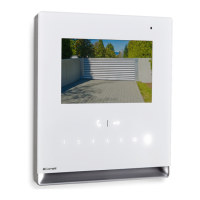
The Comelit Icona 2-wire door entry monitor, available as Art. 6601W and Art. 6601W/BM, is designed for audio and video communication systems in residential, commercial, industrial, and public buildings. The 6601W/BM model includes a magnetic amplification system for hearing aid devices.

Function Description

The monitor features a 4.3" LCD screen and is equipped with 9 function buttons and 6 adjustment buttons. The buttons are touch-sensitive, requiring a swipe to enable the function row (1) and another swipe to enable the adjustment row (2) before pressing a desired button to activate its function. It is important to wait approximately 1 second between presses to avoid canceling commands.

The monitor's functions are indicated by an LED. A continuous flashing LED signifies an incoming call, while a steady LED indicates communication or that automatic answer (hands-free mode) is enabled. For lock-release, a single flash confirms the action. Programming success is indicated by 4 flashes, and a programming error by 10 flashes. In silent mode (privacy mode), the LED remains steady. When automatic door opening on receipt of call (Doctor mode) is enabled, the LED flashes 3 times every 5 seconds. A slow flashing LED indicates programming mode, and 4 flashes mean the device is busy.

The buttons offer various functions:

  • Audio activation: Initiates audio communication.
  • Lock-release activation: Unlocks the door.
  • Buttons 1-2-3-4-5: These are programmable for various functions.
  • Self-activation: Activates the monitor without an incoming call.
  • Ringtone activation in silent mode (Privacy mode): Toggles silent mode.
  • Audio volume adjustment: Controls the volume of incoming audio.
  • Call volume adjustment: Controls the volume of the ringtone.
  • Increase/Decrease value: Adjusts settings like volume or brightness.
  • Contrast adjustment: Modifies screen contrast.
  • Brightness control: Adjusts screen brightness.

Usage Features

The Icona monitor supports both general and selective intercom calls. General intercom calls connect to devices within the same apartment or another apartment identified by the apartment's call address (user code). Selective intercom calls connect to specific devices identified by a unique selective address. It is crucial to note that general and selective intercom calls cannot be used simultaneously on the same riser.

The monitor offers advanced configuration options, allowing users to customize button functions beyond the default "Basic configuration." This involves setting S2 DIP-switches to "PROG" mode after programming. Buttons that are not programmed will revert to their default "Basic configuration" functions.

Press and Hold Functions (Disabled by default from firmware version 1.5.0): To enable or disable press and hold functions:

  1. Ensure the monitor is in standby.
  2. Note the current S2 DIP-switch settings.
  3. Enter programming mode by setting S2 DIP-switches 1, 3, 5 to ON.
  4. Press button 1 to enable or button 2 to disable.
  5. Confirm the key flashes 4 times and a confirmation tone is emitted.
  6. Restore the initial S2 DIP-switch configuration.

Once enabled, users can activate:

  • Automatic door opening on receipt of call (Doctor mode): Press and hold the programmed button (default: Key 3) for 4 seconds to toggle this function.
  • Automatic answer (Hands-Free function): Press and hold the audio activation button for 4 seconds to toggle this function.

Programming Intercom Calls: To program a general intercom call:

  1. Note the S1 DIP-switch settings.
  2. Enter programming mode by setting S2 DIP-switch 6 to ON; the LED will flash.
  3. Identify a DIP-switch combination from the "Basic configuration" table that includes the desired intercom function (INT or INTb) for the button to be programmed, then set the S2 DIP-switches accordingly.
  4. Set S1 DIP-switches to the call address of the desired apartment (refer to the "Addressing table").
  5. Press and release the button to associate it with the function. A successful programming is indicated by the LED flashing for a few seconds and a confirmation tone.
  6. Exit programming mode by setting S2 DIP-switch 6 to OFF; the LED will switch off.
  7. Set S2 DIP-switches 1-2-3-4 to ON.
  8. Restore the original S1 DIP-switch combination.

Programming selective intercom calls involves similar steps, but requires assigning a selective address to the devices involved in the call beforehand. This is done by setting S1 DIP-switches according to "Table B" for the desired selective address. Up to 3 devices can share the same selective intercom address. Selective addresses can also be deleted.

Programming Actuators: Both generic and coded actuators can be programmed. The process is similar to intercom call programming, involving setting S2 DIP-switches to programming mode, identifying the ACT function in the "Basic configuration" table, setting S1 DIP-switches (all ON for generic, specific code for coded), and pressing the desired button.

Programming Range: This feature allows setting minimum and maximum addresses for specific functions. The procedure involves entering programming mode, setting S1 DIP-switches for the minimum address, then for the maximum address, and confirming with button presses.

LED/Alarm/Lock-Release/Actuator Programming: The monitor's inputs (IN 1-IN 2 and CFP2-IN 1) can be programmed for various functions such as LED indication, alarm activation, lock-release, or generic/coded actuator control. This involves setting S2 DIP-switches to programming mode, and S1 DIP-switches to either ON (for LED, alarm, lock-release, generic actuator) or a specific code (for coded actuator).

Changing the Ringtone:

  1. Press and hold the ringtone activation button for 6 seconds. A confirmation tone will sound, and the LED will flash.
  2. Press and release the ringtone activation button multiple times to cycle through ringtone categories:
    • Once: Ringtone for calls from the external entrance panel.
    • Twice: Ringtone for calls from the switchboard.
    • Three times: Ringtone for intercom calls from the door entry monitor.
    • Four times: Ringtone for floor door calls.
  3. Press button 1 to scroll through available ringtones within the selected category.
  4. Press button 2 to confirm the selection and exit ringtone mode. A confirmation tone will sound, and the LED will switch off.

Programming Reset: The monitor can be reset to factory settings, which include:

  • Default button functions (S2 DIP-switches 1-2-3-4 combination).
  • Absence of intercom address, range function, and min./max. addresses.
  • Ringtone reset.
  • Input IN 1 - IN 2 set to LED (default).
  • "Automatic answer," "Automatic door opening on receipt of call," and "Silent" mode disabled. To perform a reset, note the S1 and S2 settings, set the DIP-switches as shown in the figure, and then press and hold the audio activation button for 5 seconds.

Maintenance Features

Comelit products are designed to require minimal maintenance. Routine cleaning should be performed according to the instructions provided in the manual. Any repairs must be carried out exclusively by Comelit Group S.p.A. for the products themselves, and by qualified technical personnel for the systems.

Installation Guidelines: Installation must be performed by qualified technical personnel, adhering to the instructions in the manuals. Power supply must be disconnected before any wiring operations. Wires with appropriate cross-sections should be used, following system manual instructions. It is advised against running system wires through the same duct as power cables (230V or higher).

Safety Guidelines: To ensure safe usage, users must carefully observe the indications in the manuals and ensure the system has not been tampered with or damaged.

Comelit Icona Specifications

General IconGeneral
TypeVideo Intercom
MaterialPlastic
Call MemoryYes
DisplayLCD
ConnectivityWired
Technology2-Wire
MountingWall-mounted
ButtonsTouch buttons
Audio OutputLoudspeaker
Display TypeLCD

Related product manuals