9
Programming the user code
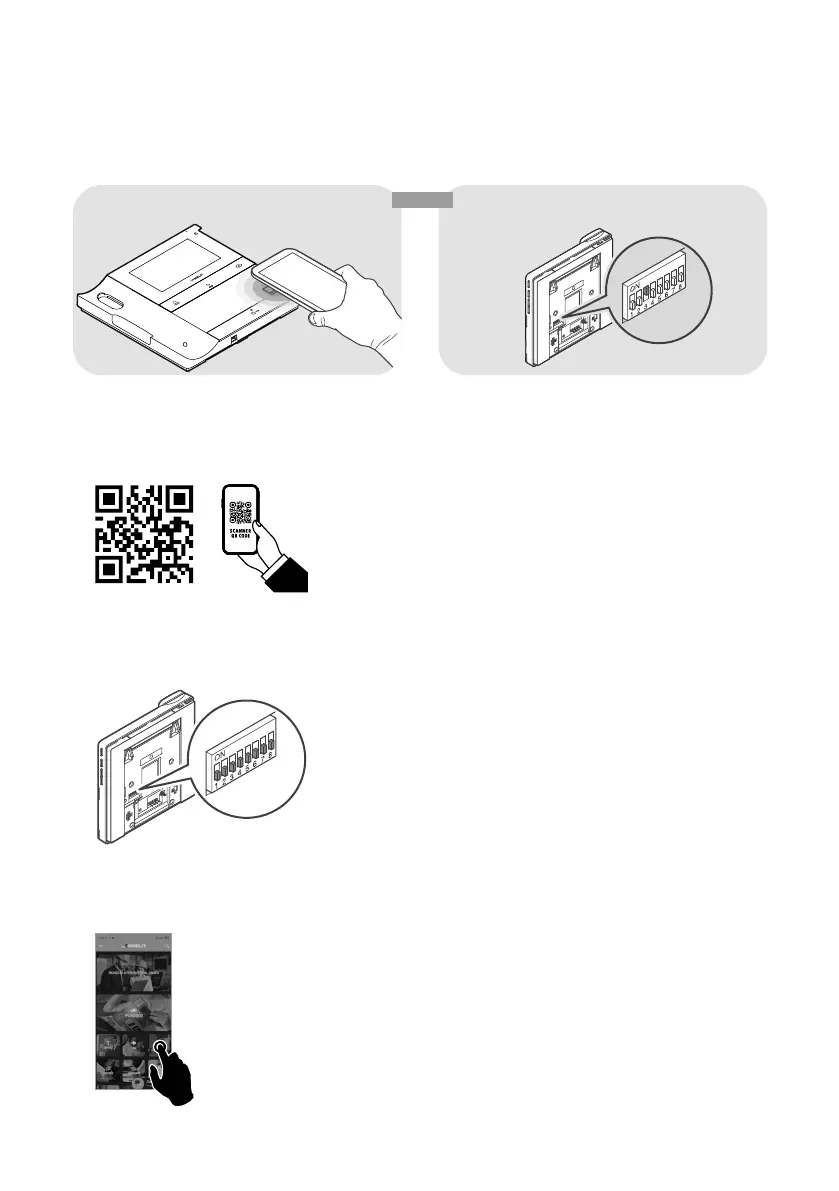
A user code must be assigned to the door entry monitor. The user code can be programmed via the MyComelit
app or using the dip-switches.
<< OR >>
SOFTWARE VIA MYCOMELIT APP HARDWARE VIA DIP-SWITCH
Programming the user code via the MyComelit app
The door entry monitor has an NFC connection which means it can be programmed quickly and easily via the
MyComelit app, available to download free of charge.
Programming can even take place while the door entry monitor is off, and without removing the device from its
packaging! The user code for several door entry monitors can be programmed in sequence!
√ All dip-switches must be set to OFF (factory programming) and should remain OFF even during normal
operation.
OFF !
1. Open the MyComelit app and log in (or create a new account if it is the first time you have accessed it).
2. Select "LOGOS DOOR ENTRY MONITOR SETUP".










 To Next Page