4
Front buttons - factory programming
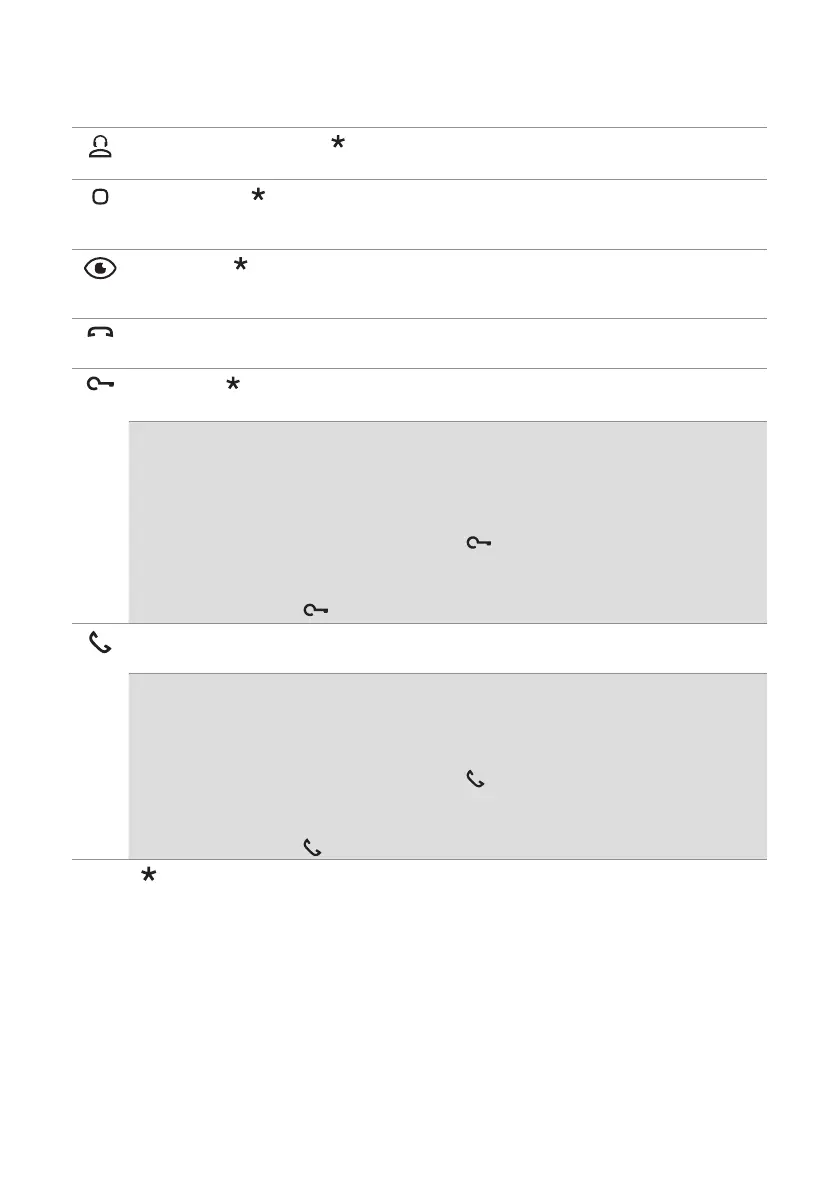
Standard call to switchboard
f Press the button to send a call to the porter switchboard.
Generic actuator
f Press the button to activate a generic actuator (art. 1256) or the relay for the external entrance
panel.
Self activation
f Press the button to access real-time viewing of the images on the outdoor entrance panel
camera.
End of communication
f Press the button to end the audio communication.
Lock-release
f Press the button to activate the door lock.
Door opening on call
This button can also be used to enable “Automatic lock-release on receipt of call”, which allows
automatic activation of the lock-release relay on receipt of a call originating from the external
entrance panel.
√ The function must be authorised by the installer via the MyComelit app.
f When the door entry monitor is in standby, press for 5 seconds to enable/disable
“Automatic lock-release on receipt of call” mode.
» A confirmation tone will play.
» The steadily lit LED indicates that the function is active.
Start communication
f Press the button to activate communication.
Automatic answer
This button can also be used to enable “Automatic answer”, which allows automatic activation of the
audio on receipt of a call originating from the external entrance panel.
√ The function must be authorised by the installer via the MyComelit app.
f When the door entry monitor is in standby, press for 5 seconds to enable/disable “Automatic
answer” mode.
» A confirmation tone will play.
» The steadily lit LED indicates that the function is active.
To change the factory programming for the buttons, please contact your installer.











 To Next Page