/ CX418
Quick Printer Installation
1
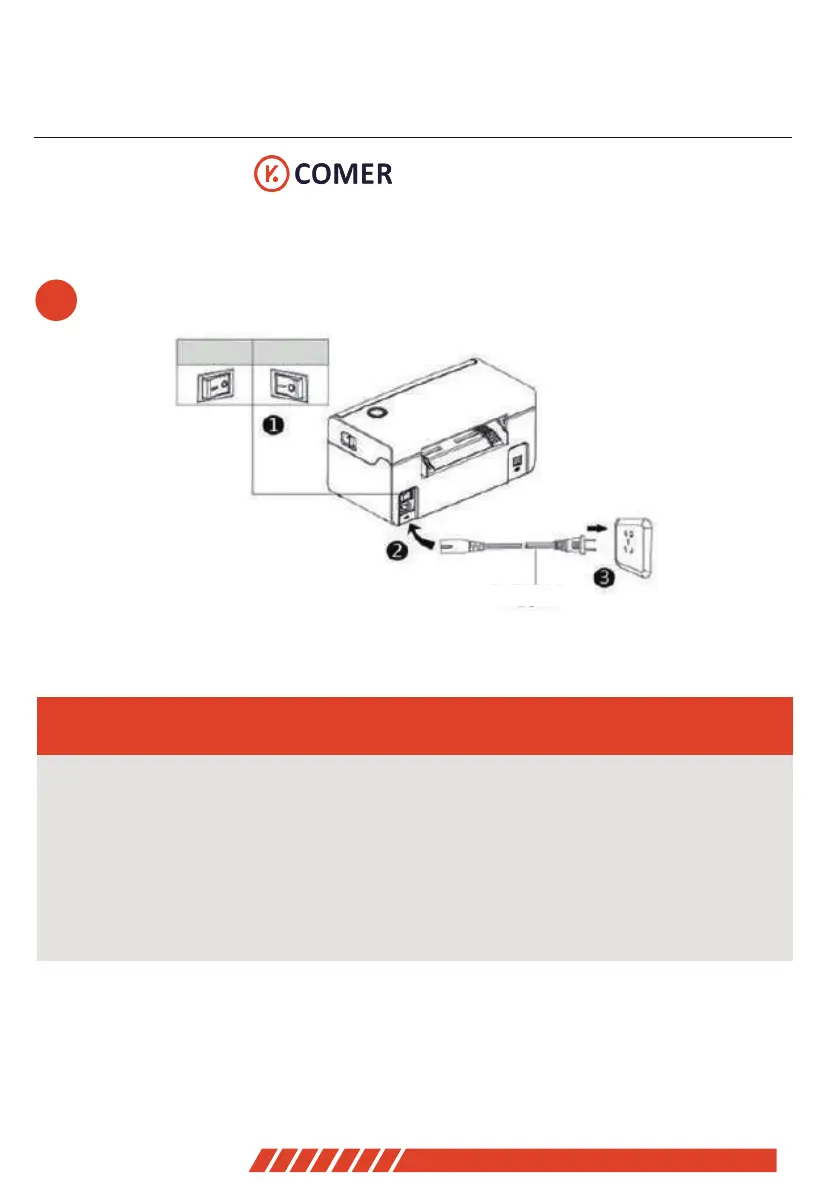
open
close
Cable Connection
1. Confirm the printer is Power-off (0);
2. Connect the power line to the printer;
3. Connect the other end of Power line to the socket;
- ------------------------------------------------------------
- ------------------------------------------------------------
Power Line
03


 To Next Page