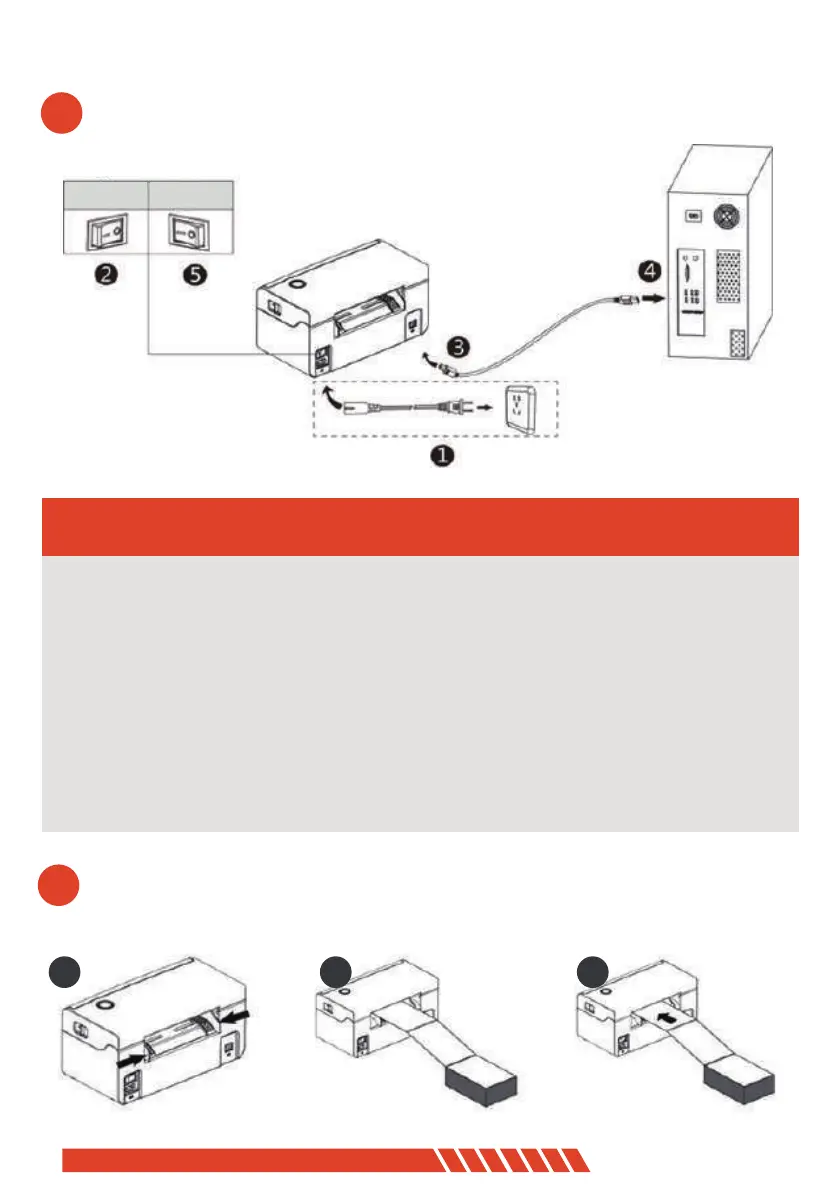
open
close
2
USB Connection
1. Confirm the printer is Power-off (0);
2. Connet the USB B-Type line to the printer;
3. Connect the other end of the USB B-Type line to the pc mainframe;
3. Turn on the printer power to be Power- on (I);
- ------------------------------------------------------------
- ------------------------------------------------------------
- ------------------------------------------------------------
3
01 02 03
04


 To Next Page