5
Paper Jam
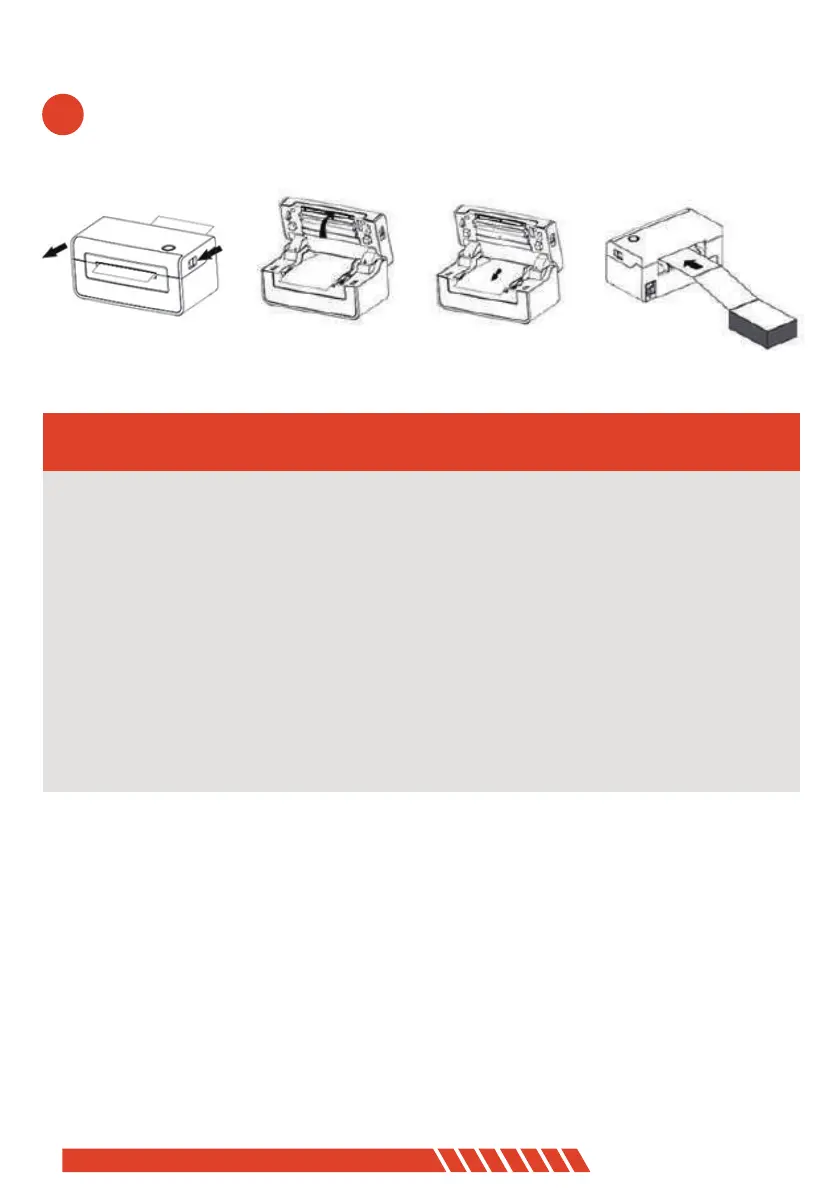
1. Facing the front of the printer, move the opening button forward with both hands
at the same time to open the top cover;
3. After pulling the jammed paper out of the paper path, replace it with new paper
and discard the wrinkled paper;
4. After the jammed paper is pulled out, normal media installation can be performed;
2. Lift the top cover upwards;
- ------------------------------------------------------------
- ------------------------------------------------------------
- ------------------------------------------------------------
06


 To Next Page