6
QUICK START GUIDE
Reservation
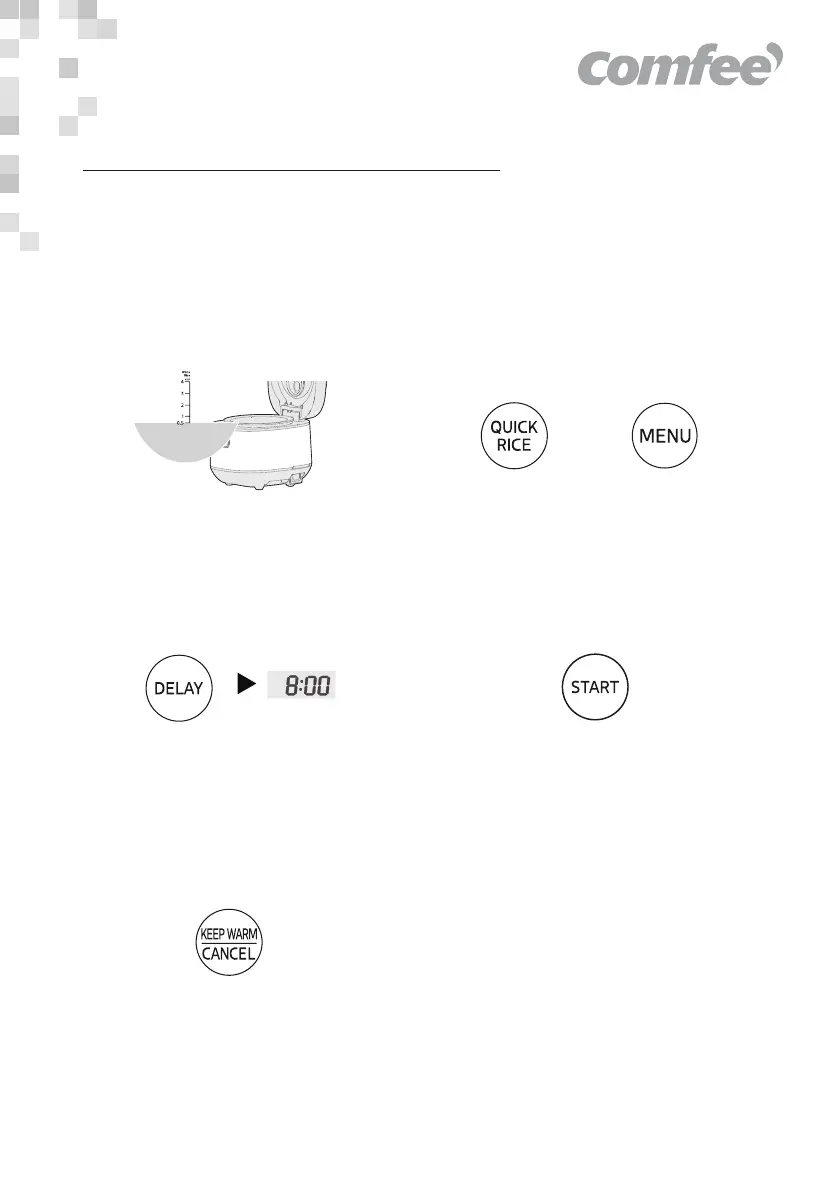
For example: Make an appointment to finish cooking in 8 hours.
Gentle Reminder:
Display status refers to actual product.
1. Prepare rice and water
Place the rinsed rice into the inner pot
and choose the appropriate water level
according to the rice amount.
2. After closing the lid, select Quick Rice or
other functions by using the Quick Rice
or MENU button.
3. Set the timer for cooking completion
Press the “DELAY ” button, the Time
Display flashes, and then press the
button “DELAY ” again to adjust the
displayed reservation time.
5. Cancel cooking
Pressing the “KEEP WARM/CANCEL”
button can cancel the selected cooking
function.
4. Start cooking
Press the “START” button, the cooking
will be finished at the appointed time.
OR


 To Next Page