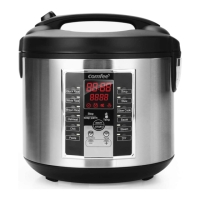
7. Press the /ON/OFF/START button to turn on the cooker.
8. Press MENU to select STEAM. The digital display will show a flashing “5” to
represent five minutes of steam time.
9. Press HOUR and MINUTE functions to adjust the cooking time for the
steaming function. The range can be adjusted from 1 minute to 1 hour
(long press for quick increase).
10. Press the /ON/OFF/START button to begin cooking.
1 1. When the water reaches a boil, the digital display will countdown in 1
minute increments from the selected time.
12. Once the selected time has passed, the cooker will beep and switch to
KEEP WARM.
13. Check steamed food for doneness. If finished steaming, carefully remove
food when finished steaming to prevent overcooking. Wear a protective,
heat-resistant glove when removing to prevent possible injury.
14. When finished steaming, turn the cooker off by pressing KEEP WARM/
CANCEL so digital display reads “----”. Press /ON/OFF/START to turn off
cooker.
15. Unplug the power cord from the power outlet.
• Smaller foods may be placed on a heat-proof dish and then placed onto
the steam rack. Parchment paper or aluminum foil may be used as well.
Place the paper/foil in the center of the steam rack and ensure it does
not create a seal along the bottom of the steam rack. For best results, it is
recommended to puncture small holes in the paper/foil.
• For suggested steaming times and water amounts, see the meat and
vegetable steaming tables on.
10
1. Using the provided measuring cup, add 2 cups of water to the inner pot.
2. Place the inner pot into the cooker.
3. Place the steam tray into the cooker.
4. Place food to be steamed onto the steam tray.
5. Close the lid securely.
6. Plug the power cord into an available (120V ~) wall outlet.
HELPFUL HINTS


 To Next Page