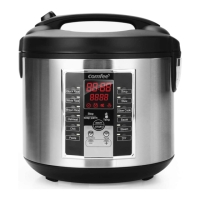
CAKE
1. Follow instructions on cake mix packaging or recipe to mix liquid
ingredients and cake mix. Add cake mix into the inner pot.
2. Place the inner pot into the cooker.
3. Close the lid securely.
4. Plug into an available 120V AC outlet.
5. Press /ON/OFF/START to turn the cooker on.
6. Press the MENU button to cycle to CAKE. The indicator light will confirm
which function is selected.
7. Press the Start button to begin cooking on the selected function. The
digital display will show a “chasing” pattern and the indicator light will
become solid to indicate that it is cooking.
8. The cooker will countdown the final minutes of cook time starting at 10
minutes.
9. Once cake is finished, the cooker will beep and automatically switch to its
KEEP WARM setting. The digital display will show the number of hours the
cooker has been on the KEEP WARM, beginning with “0”.
10. Remove the cake carefully by inverting the inner pot onto a flat dish or
surface. Turn the cooker off by pressing the KEEP WARM/CANCEL so digital
display reads “----”.
Press /ON/OFF/START to turn off cooker.
1 1. Unplug the power cord from the power outlet.
• When removing inner pot wear a protective, heat-resistant glove to avoid
possible injury.
CAUTION
20


 To Next Page