3
Instructions for use
Power/Intensity Buon
1. Turn off the massager before replacing another massage head.
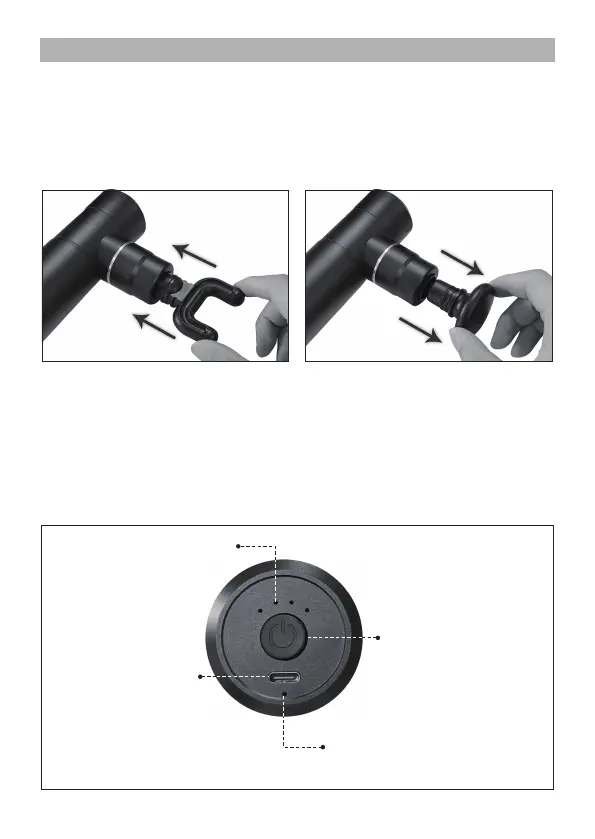
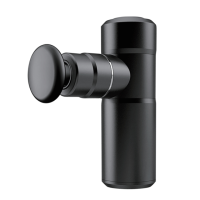
2. Your massager comes equipped with 4 aachments (Figure 1). Aach the
different heads by pressing the head unl it is totally inserted.(Figure 2),
detach the installed massage head by twisng an-clockwise and pulling
out (Figure 3).
! Note: Always turn off the device while replacing the heads.
Fig.2
Fig.3
Press to cycle the
intensity Level 1 to
Level 4 and turn off
the device.
Intensity indicator light
Power Indicator light
3. Turn on the massager by operang the control buons (insturcons as below)
4. Apply the massager head lightly to the area you wish to treat. Move the unit
slowly, holding it over the targeted area. Treat the area for a short period of
me and move to another area. NEVER treat the same area for longer than
1 minute.
5. To turn the unit off by pressing the power buon. For your safety the device
will automacally turn off aer 15 minutes of connuous use.
Turn red when power is low,
Otherwise it’ll stay green
Type C


 To Next Page