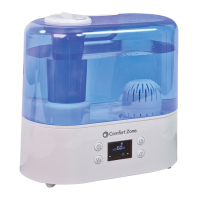
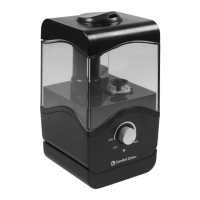
This document describes the Comfort Zone CZHD60 Digital Ultrasonic Humidifier with Aromatherapy, a device designed to add moisture to the air and diffuse essential oils.
Function Description
The Comfort Zone CZHD60 is a digital ultrasonic humidifier that uses high-frequency vibrations to produce a fine mist, which is then dispersed into the air to increase humidity levels. It also features an aromatherapy function, allowing users to diffuse essential oils for a pleasant scent. The device is intended for indoor use and is designed to improve air quality and comfort in a room. It operates with a control panel that allows users to adjust various settings, including power, desired humidity level, mist output speed, and a timer. The humidifier is equipped with a ceramic ball filter to help eliminate odors and soften hard water.
Important Technical Specifications
- Model No.: CZHD60
- Voltage: 120V, 60Hz
- Rated Power: 30W
- Water Tank Volume: 1.5 Gallon (5.5L)
- Plug Type: Polarized plug
- Humidity Range: 30% RH to 90% RH (Relative Humidity)
- Mist Output Speeds: 3 levels (low, medium, high)
- Timer: Up to 12 hours
Usage Features
The humidifier offers several user-friendly features:
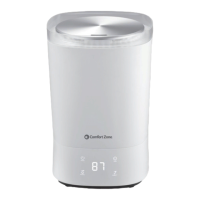
- Control Panel: The device is operated via a touch-sensitive control panel with icons for ON/OFF, HUMIDITY, MAX/MIN (mist level), and TIMER.
- Power On/Off: A single touch of the ON/OFF icon turns the humidifier on, starting at mist output level 2. A blue light illuminates the base, and the display shows current humidity, then mist output level, cycling between the two.
- Humidity Setting: Users can set a desired humidity level between 30% RH and 90% RH in 5% increments by repeatedly touching the HUMIDITY icon. The display shows the current humidity before adjustment. If the desired humidity is set to "Co" (continuous), the humidifier will operate continuously. The device will automatically adjust mist output based on the difference between current and desired humidity: level 3 for 16% RH higher, level 2 for 10-15% RH higher, and level 1 for 1-9% RH higher. If the desired humidity is lower than current, the device enters a sleeping state.
- Night Mode: Pressing the HUMIDITY icon for 2 seconds activates night mode, turning off the blue decoration light and LED display. Any button touch wakes the display, and another touch makes the unit operational. Long pressing the HUMIDITY icon again exits night mode.
- Mist Level Selection: The MAX/MIN icon allows selection of three mist output speeds: 1 (low), 2 (medium), and 3 (high). The corresponding digit appears on the display.
- Timer Function: A 12-hour timer can be set by touching the TIMER icon. The display shows the desired setting (e.g., "01" for 1 hour). Touching until "-- --" cancels the timer. The timer setting is confirmed after 5 seconds of no operation. The display shows the remaining operation time, decreasing by 1 hour each hour. A long press of the TIMER icon also cancels the timer setting.
- Water Tank Filling: The top cover is removed to fill the 1.5-gallon (5.5L) water tank. The tank is then placed back on the main base.
- Aromatherapy: The humidifier includes an aromatherapy function, likely through a dedicated compartment for essential oils, though specific details on its use are not explicitly detailed in the provided text beyond its mention in the product title and troubleshooting.
Maintenance Features
Regular maintenance is crucial for the humidifier's performance and longevity.
- Transducer Cleaning: The transducer should be cleaned with clean water or citric acid to remove scale. A brush can be used to scrub off scale, followed by rinsing with clean water.
- Basin Cleaning: The water basin should be cleaned with a soft cloth or citric acid to remove scale. If scale covers the security switch, citric acid should be applied for 2-5 minutes and then cleaned with a brush. The basin should be rinsed with clean water.
- Ceramic Filter Cleaning: The ceramic ball filter should be cleaned and activated after approximately 1000L of water use, or more frequently depending on water quality. It can be soaked in vinegar for about 5 minutes, then rinsed thoroughly with clean water. After cleaning, the filter should be placed under the sun for 4-6 hours to activate it.
- End of Season Care and Storage: Before storing, the tank and tray should be emptied, and all surfaces cleaned with a damp, soft cloth. Once completely dry, the humidifier should be stored in its original carton in a cool, dry, clean location. It should be cleaned and inspected before the next season's use.
- Troubleshooting Guide: The manual includes a comprehensive troubleshooting guide to address common issues such as power problems, no mist output, water shortage, unusual smells, loud noises, incorrect humidity readings, white dust, and control panel malfunctions, providing possible causes and solutions. For example, if white dust appears, it suggests using distilled, purified, or filtered water and cleaning the tank weekly. If the humidifier makes a loud sound, it may indicate low water in the tank or an unstable surface.


 To Next Page
 General