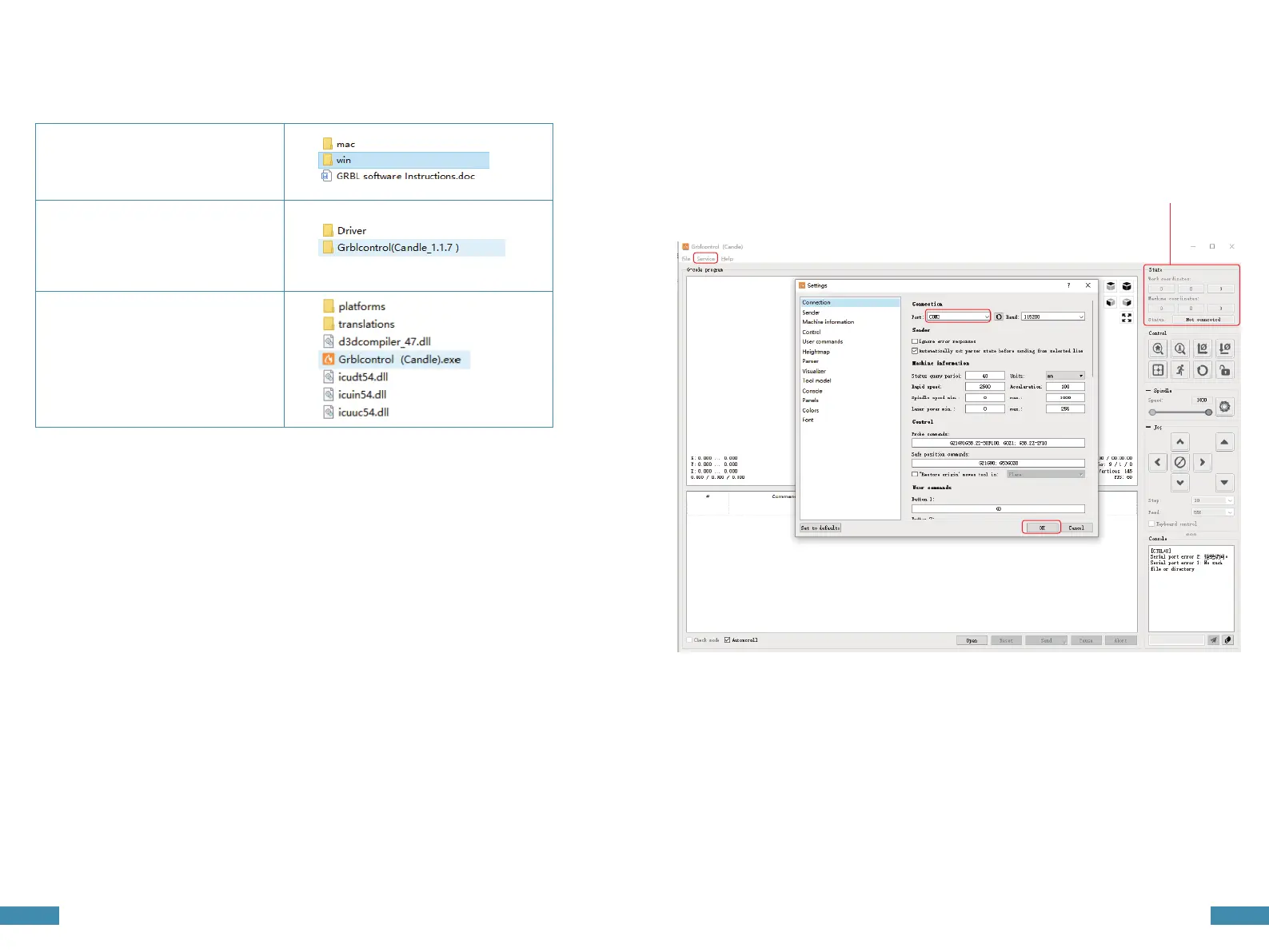
3. Open Grblcontrol software
4.Grblcontrol Use
• Click Service
• Choose COMX port
• Click OK,connect
• Check connection display,if 'Not Connected' is displayed,
connection fails if 'Port Opened' is displayed, connection is done
2.Select "Grblcontrol (Candle_1.1.7)"
1.You can obtain this software from others,
or you can use our complimentary software .
Open the SD card and find "software",
then select "win".
Connection Display
3.Find the"Grblcontrol (Candle) .exe"
and open it .
16 17



 To Next Page