Offline Controller
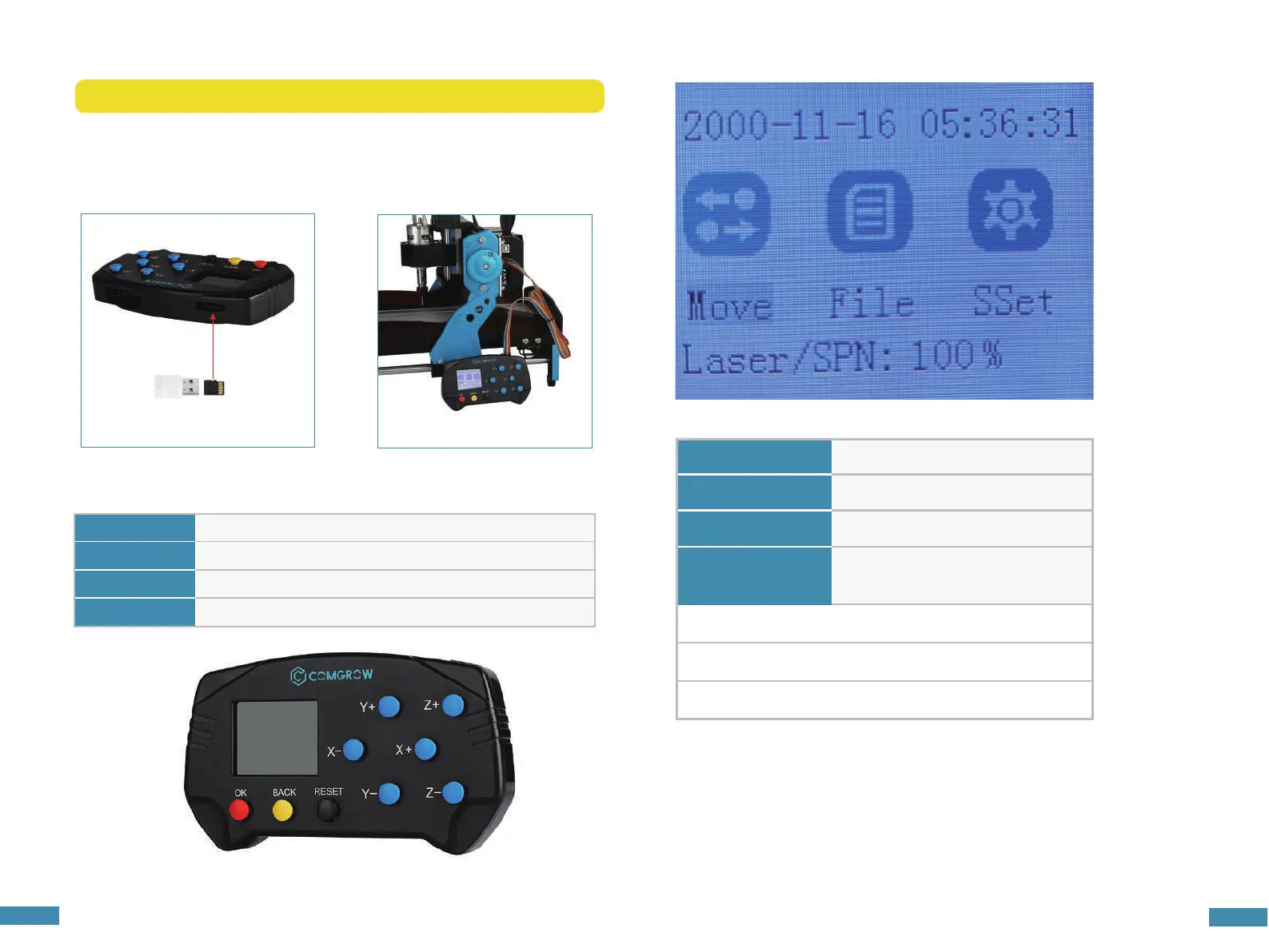
1. Connect the memory card to the computer through a card reader, copy the G-code into the memory
card, and then insert the memory card into the offline control handle.
2. Connect the offline controller to the control motherboard.
3. Press the [X+/X-/Y+/Y-/Z+/Z-] key to move the spindle to the machine origin, select the engraving file,
click the [OK] key to start engraving.
Notice: If you want to run the CNC machine with an offline controller, you must first disconnect the USB cable
from the controller board.
4. Interface introduction
A. Off-line controller button
OK Confirmation
BACK Return to previous page
RESET Reset system
X-/X+/Y-/Y+/Z-/Z+ Control X/Y/Z axis move
24
25
B. Menu Page
Move
Confirmation
File Return to previous page
SSet Reset system
Press key [X-] or [X+] to select
Laser/SPN:100%
Power to spindle
(Press [Z+]=add or press [Z-]=reduce)
Press key [OK] to Enter
Press key [RESET] to reset system


 To Next Page