
 Need help?
Do you have a question about the Comica CVM-WM200 and is the answer not in the manual?
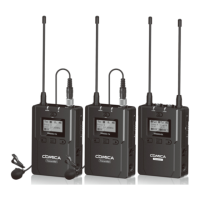
Lists key features of the WM200 UHF wireless microphone system.
Provides important warnings and usage precautions for the wireless microphone system.
Explains the function of buttons on the lavalier transmitter, receiver, and hand-held transmitter.
Step-by-step guide for installing and using the lavalier transmitter.
Instructions for installing and powering on the hand-held transmitter.
Guide for installing the receiver and connecting it to video devices.
How to set the channel using infrared sync with the receiver.
How to perform an automatic channel scan for optimal frequency selection.
How to synchronize transmitter/receiver and adjust group volume.
 General
| Brand | Comica |
|---|---|
| Model | CVM-WM200 |
| Category | Microphone |
| Language | English |













 To Next Page