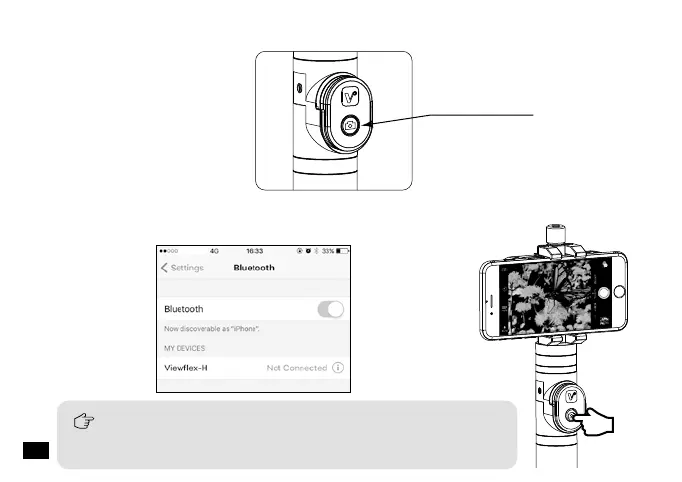
In photo shooting mode, press the remote controller for photo
taking;In video mode, press the remote controller to start video, and
press again to finish.
Power Button
2.Long press the power button to turn on the grip;
3.Turn on the bluetooth of the phone, match with the bluetooth named 'Viewflex - H',
then you can use your smartphone for recording.
China Mobile
26














 To Next Page