- 6 -
2 Hardware
2.1 Interfaces, Indication and Operating Devices
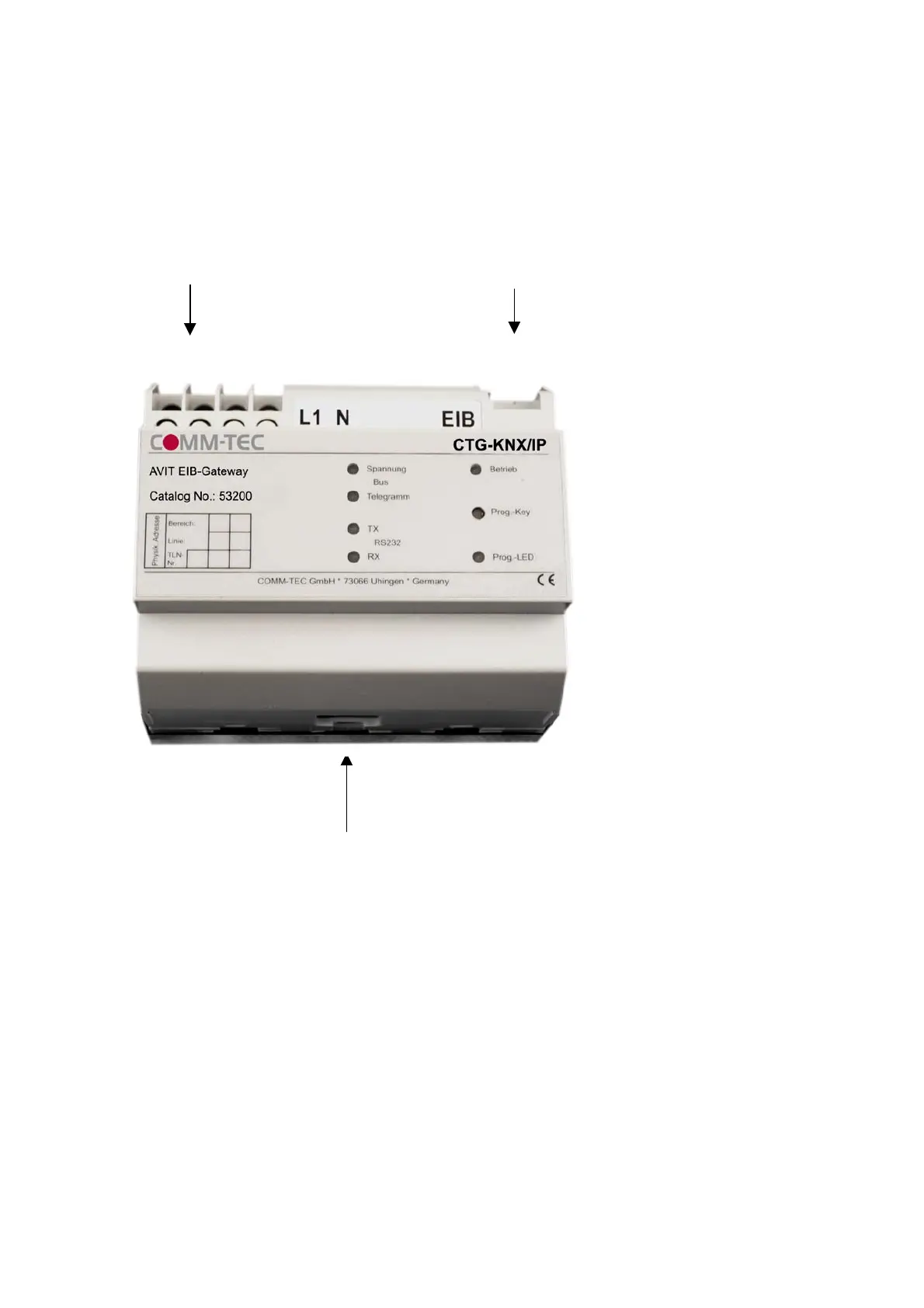
Connections :
230 V EIB
RJ45
LEDs : Busspannung flashes when bus voltage drops below 15V
Bustelegramm indicates telegrams on the EIB
TX indicates data transmission from Gateway to AVIT / AMX
RX indicates data transmission from AVIT / AMX to Gateway
Betrieb is lightened when voltage feed is being impressed
Prog.-LED flashes when the Gateway is being set to programming mode on
the EIB-side
Push-button : Prog.-Key sets Gateway to programming mode (on EIB-Side)
2.2 Installation
2.2.1 Connection Gateway – TCP/IP Interface
The Gateway is being connected to the network by a standard network cable.


 To Next Page