24 of 29
• The ideal resolution for MPEG still pictures is 704 x 576 (PAL) or 704 x 480
(NTSC).
• The optimal choice of font size is not less than 22 points when creating a still
picture with text content.
• For better visual quality, the ideal line thickness should always be more than one
point.
Encoding Bit Rate
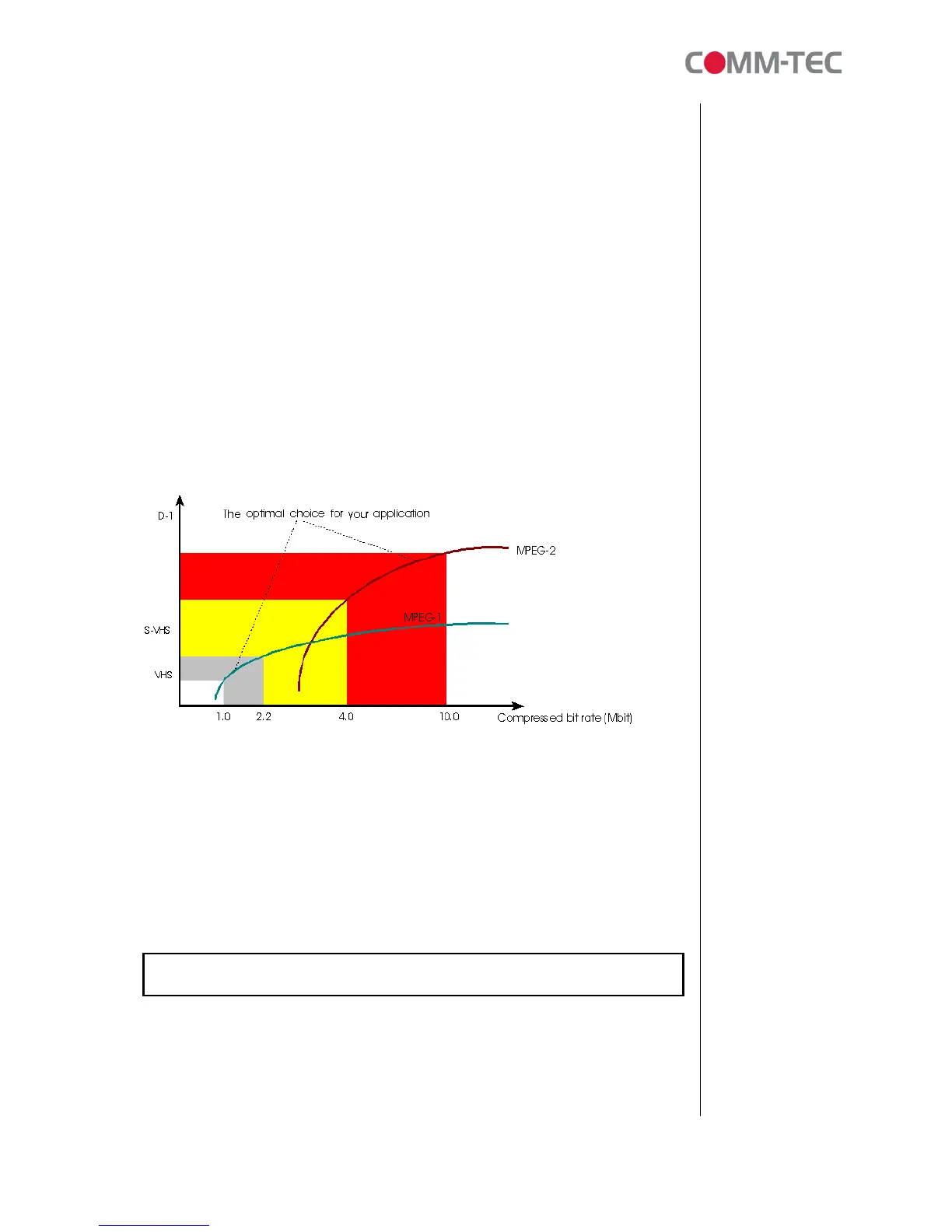
Bit rate is the number of bits compressed per second. The higher the bit rate, the
better MPEG video quality we get.
For MPEG-1 encoding, the suggested encoding bit rate is 1.0M – 1.5Mbit/s. This is
roughly the bit rate for VCD quality.
For MPEG-2 encoding, the suggested encoding bit rate is 2M – 4Mbit/s. The output
quality will look like the same as SVCD
For MPEG-2 encoding, the suggested encoding bit rate is 5M – 7Mbit/s. The output
quality will look like the same as DVD.
This chart shows bit rate against video quality:
File size
When encoding an MPEG file, the higher the bit rate selected, the larger the file
generated. When creating content, the total .mpg file size (total content) should not
larger than the maximum amount of the storage contained on the CompactFlash
card size minus 0.5M (used for the system, networking, playlist). Try to keep 5MB
free. E.g., for a 32MB CompactFlash card, this means your total .mpg file content
can be a maximum of 31.5MB, but 27 MB is better.
File size can be obtained from the bit rate and playback time:
MPEG file (.mpg) size (Byte) = [bit rate (bit/s) x playback time (s)] / 8



 To Next Page