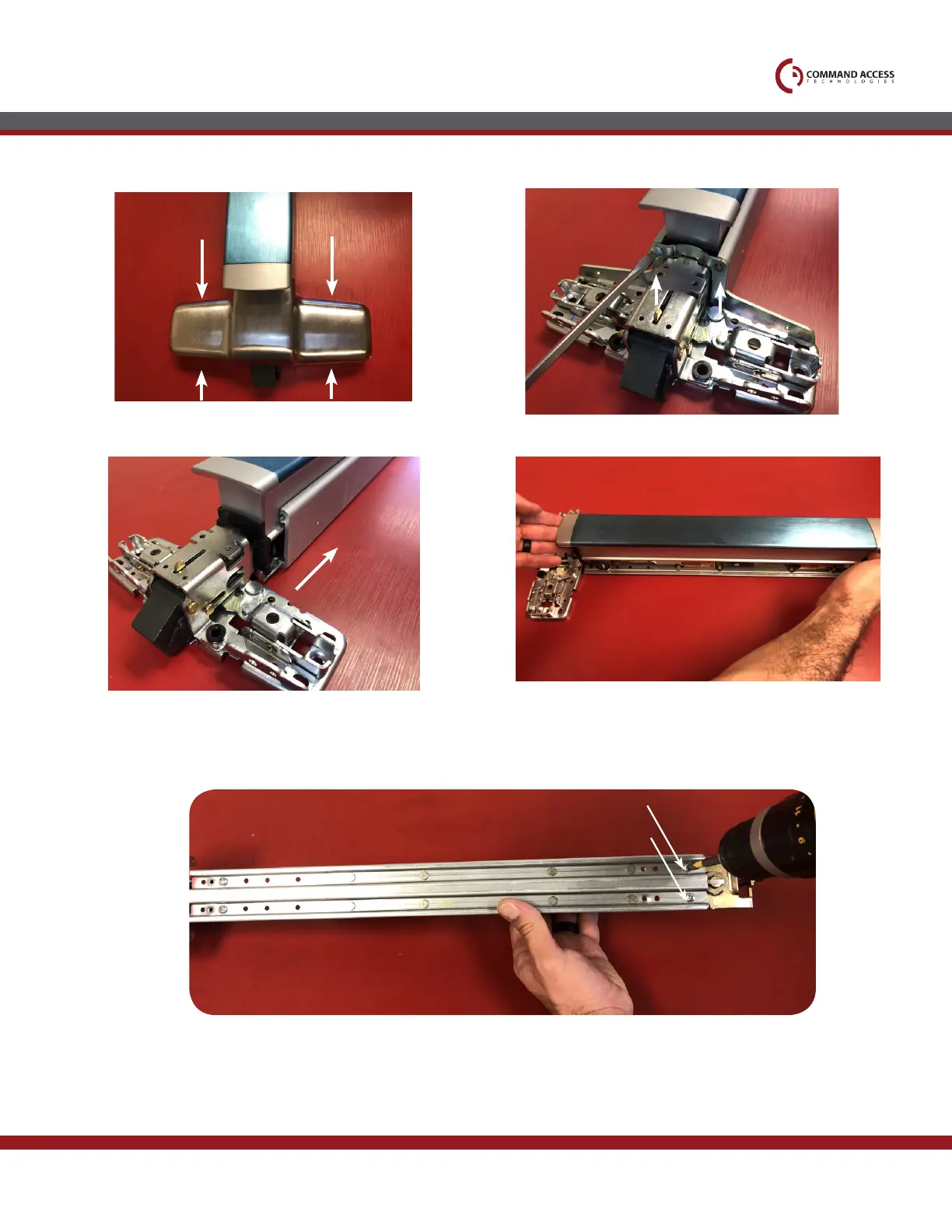
Remove all (4) screws & head cover.
1.
Remove (2) screws securing mounting bracket to housing.
2.
Installation Instructions
Pins
Slide housing off push pad & baserail.
3.
Remove Push Pad from baserail.
4.
5.
If your device has dogging, flip baserail over & remove (2) screws securing dogging assembly to rail. If you have an older device with rivets, you will
need to drill them out or use a pin punch to knock them out.
US customer support 1-888-622-2377 | www.commandaccess.com | CA customer support 1-855-823-3002



 To Next Page