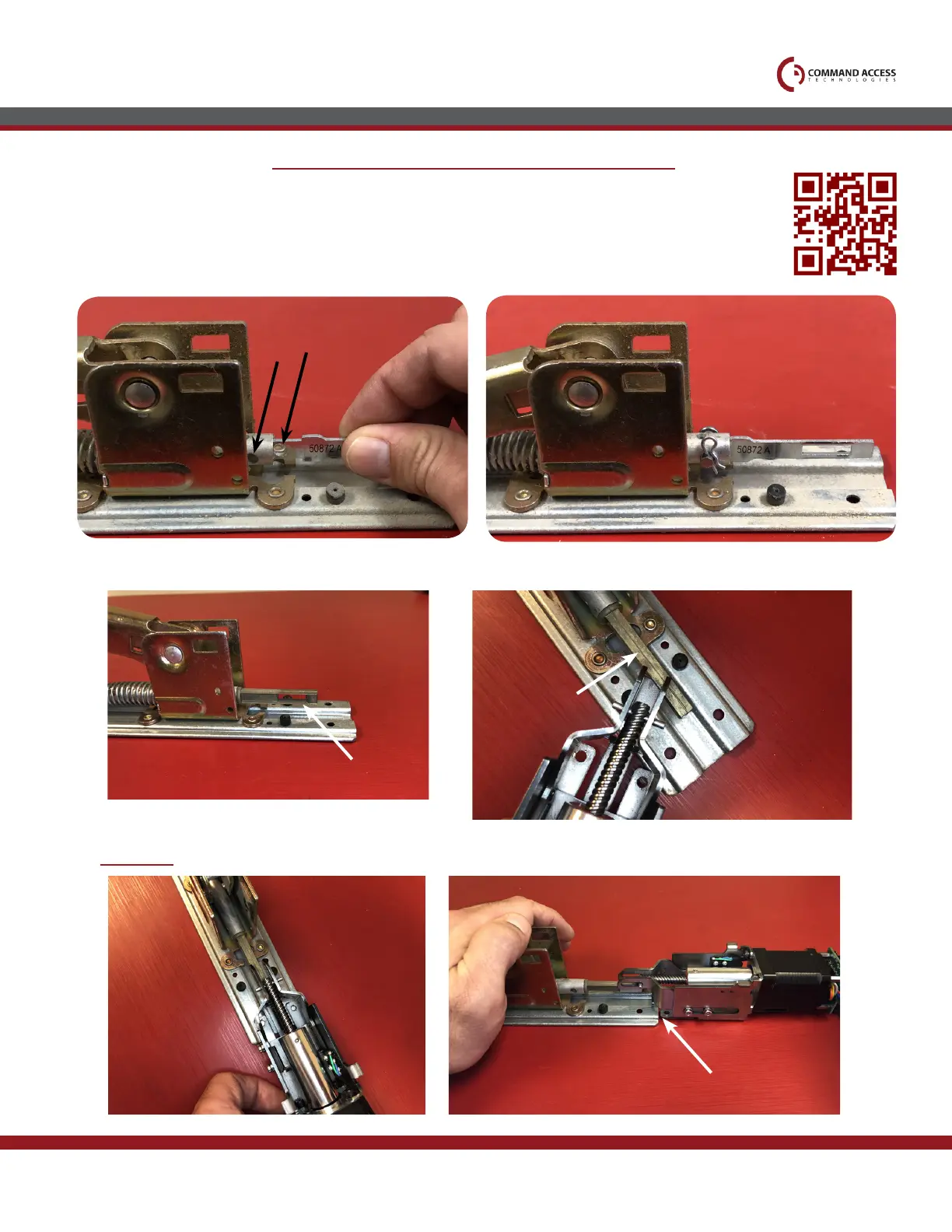
Use replacement dogging tail (50872) provided, & insert into
connection rod.
6.
Line up holes a and b, insert pin and secure it with
the clip provided. If you have an older device
without hole b, please scan the qr code for a
video on how to use the provided dogging kit.
7.
Installation Instructions
Pins
Grab your motor and insert attaching bracket at slight angle through the window on the dogging tail.
8.
9.
Straighten kit, depress back activating bracket, & gently pull back on the motor to slide mounting bracket
UNDERNEATH baserail.
US customer support 1-888-622-2377 | www.commandaccess.com | CA customer support 1-855-823-3002
Fire rated devices Only - nOn-rated devices skip tO step 8
a
b


 To Next Page
 Loading...