Connect Default SSID named “COMMANDO APO300 2.4G” with the help of default Wi-Fi
Password “66666666” or “commando” – refer product label for password.
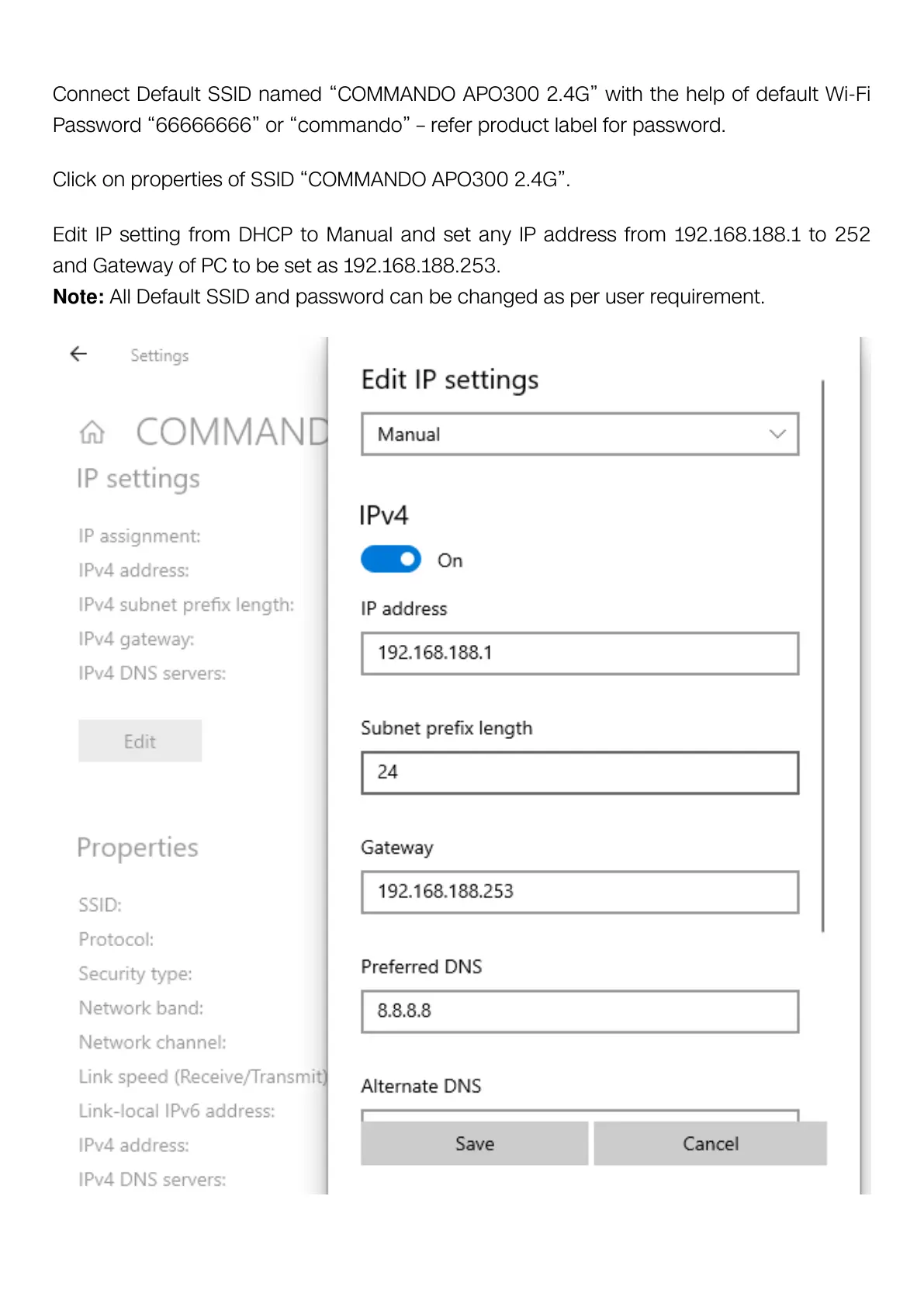
Click on properties of SSID “COMMANDO APO300 2.4G”.
Edit IP setting from DHCP to Manual and set any IP address from 192.168.188.1 to 252
and Gateway of PC to be set as 192.168.188.253.
Note: All Default SSID and password can be changed as per user requirement.



 To Next Page