Fig 3. Edit IP setting from DHCP to Manual as shown for COMMANDO AIR-APO300
2.4G
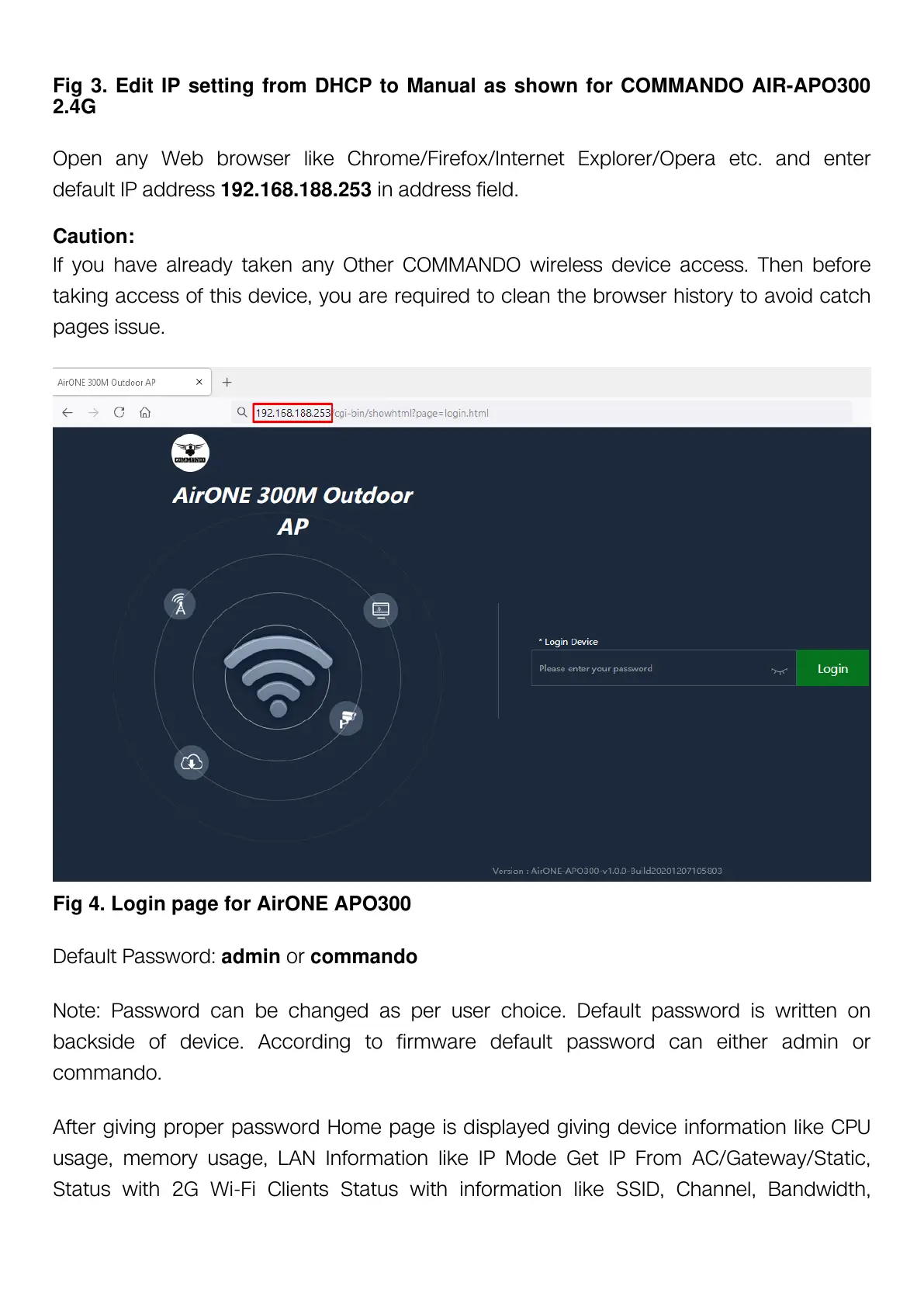
Open any Web browser like Chrome/Firefox/Internet Explorer/Opera etc. and enter
default IP address 192.168.188.253 in address field.
Caution:
If you have already taken any Other COMMANDO wireless device access. Then before
taking access of this device, you are required to clean the browser history to avoid catch
pages issue.
Fig 4. Login page for AirONE APO300
Default Password: admin or commando
Note: Password can be changed as per user choice. Default password is written on
backside of device. According to firmware default password can either admin or
commando.
After giving proper password Home page is displayed giving device information like CPU
usage, memory usage, LAN Information like IP Mode Get IP From AC/Gateway/Static,
Status with 2G Wi-Fi Clients Status with information like SSID, Channel, Bandwidth,


 To Next Page
 Loading...