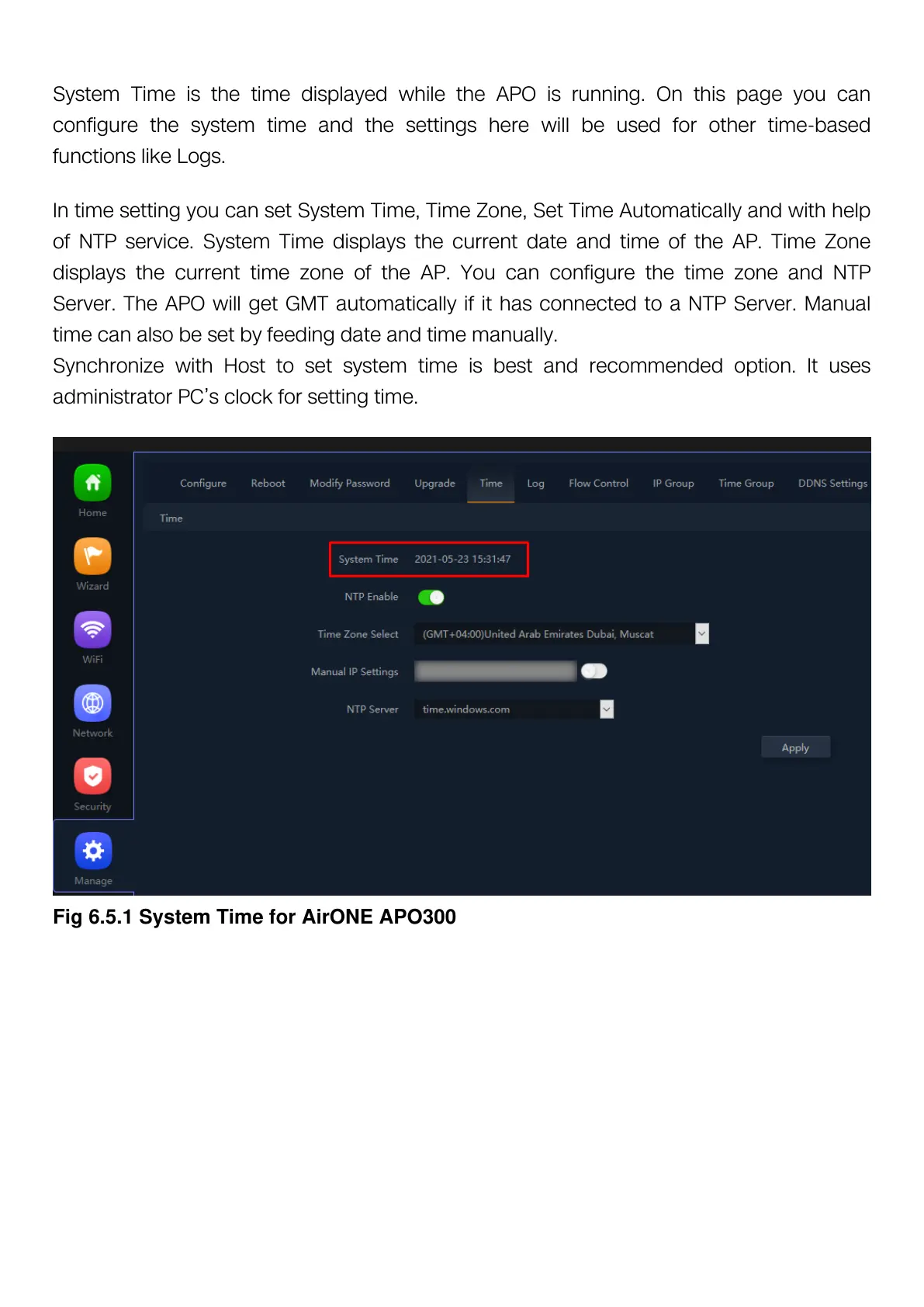
System Time is the time displayed while the APO is running. On this page you can
configure the system time and the settings here will be used for other time-based
functions like Logs.
In time setting you can set System Time, Time Zone, Set Time Automatically and with help
of NTP service. System Time displays the current date and time of the AP. Time Zone
displays the current time zone of the AP. You can configure the time zone and NTP
Server. The APO will get GMT automatically if it has connected to a NTP Server. Manual
time can also be set by feeding date and time manually.
Synchronize with Host to set system time is best and recommended option. It uses
administrator PC’s clock for setting time.
Fig 6.5.1 System Time for AirONE APO300


 To Next Page
 Loading...