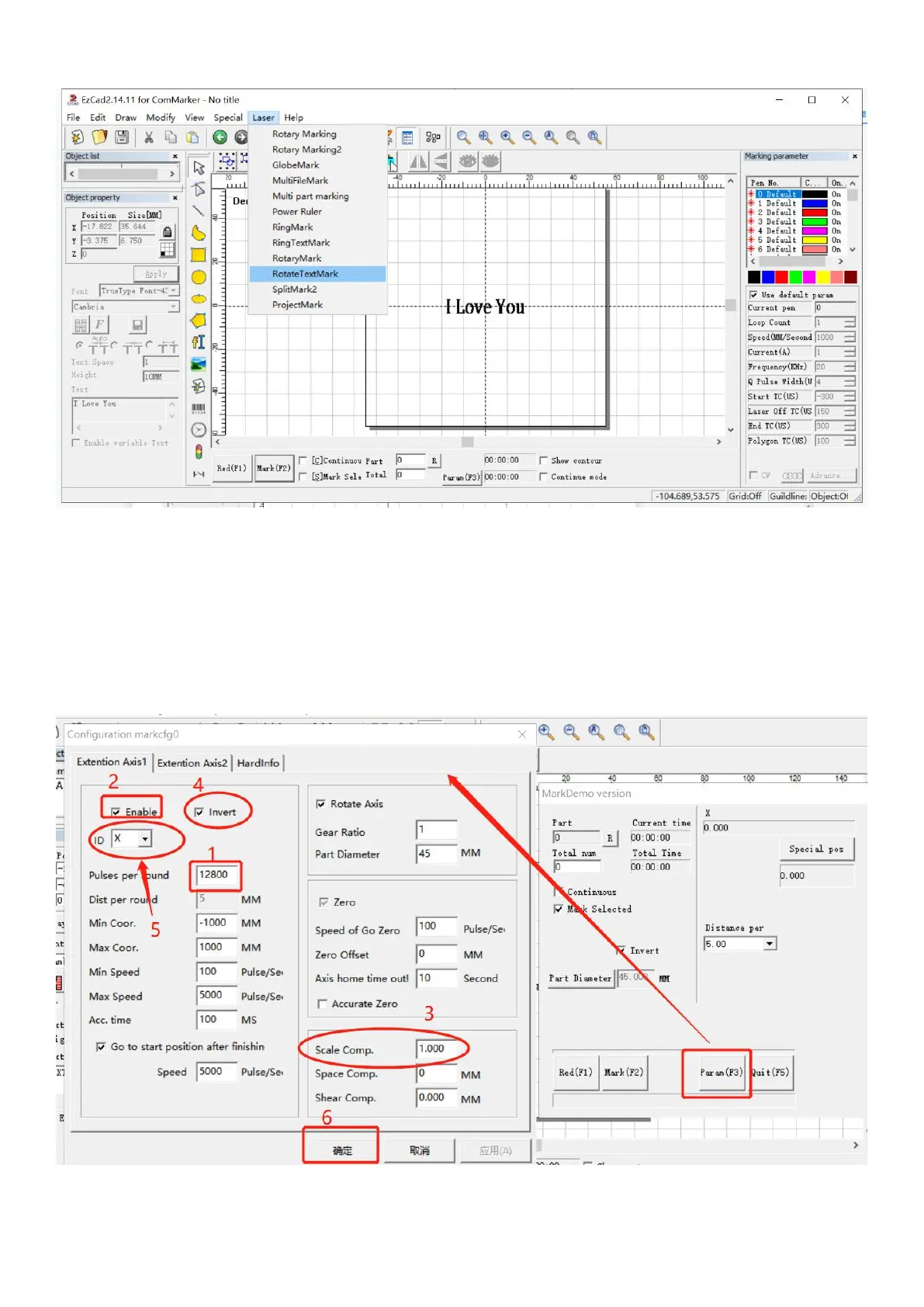
3. Select “Laser” from the menu, Choose “Rotate TextMark”, which is more suitable for marking simple text.
4. Click “Param (F3)”, set the "configuration markcfg0"
(1) Tick “Enable”
(2) Input the pulses per round number “12800”
(3) Adjust the scale compensation if necessary, the number of this parameter will affect the spacing between the engraved
texts
(4)Tick “reverse” if you want to change the marking orders of the words
(5) Select the appropriate axis X or Y according to the placement direction of the rotary
(6) Click "OK (确认)"



 To Next Page