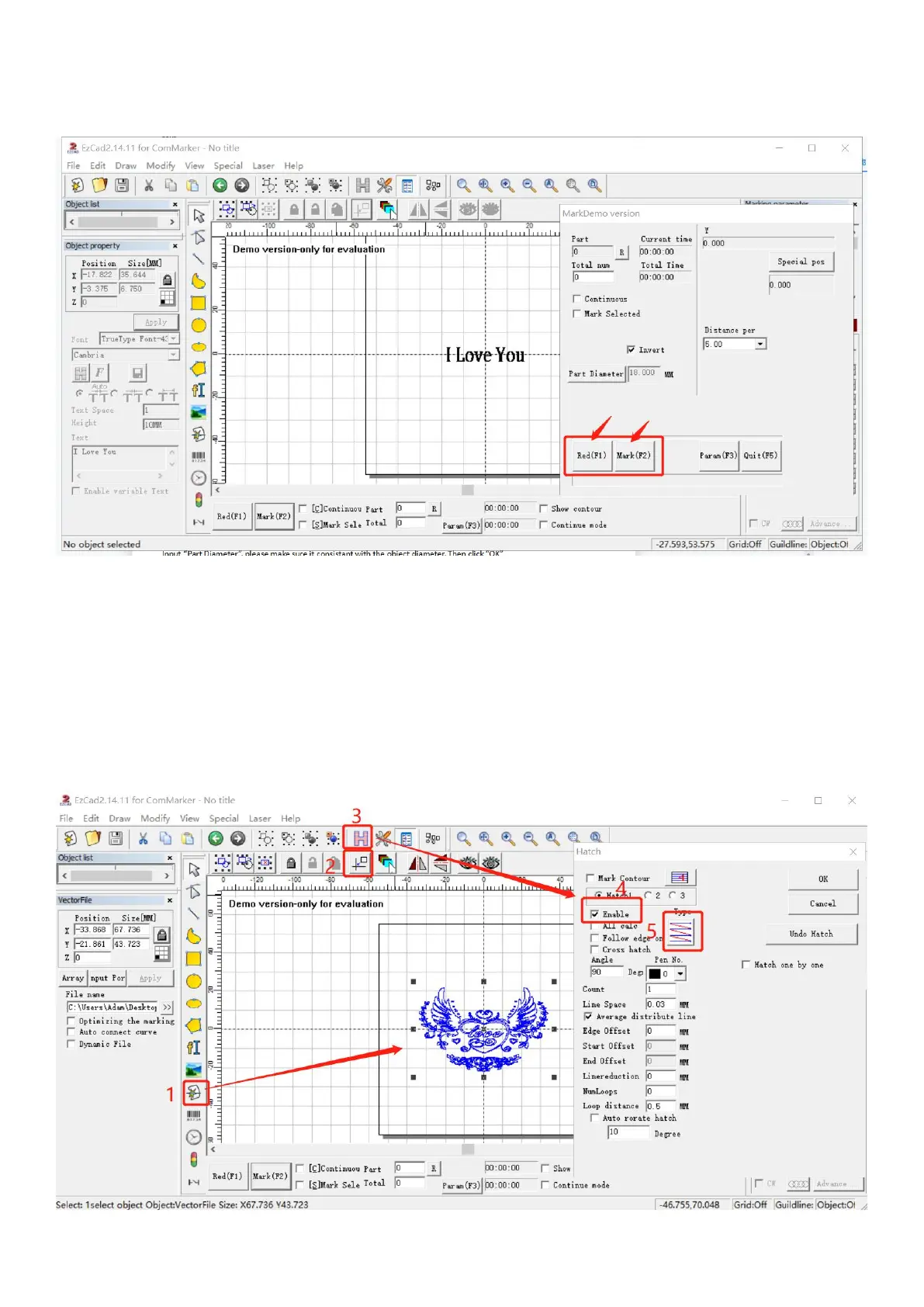
5. Click “Red (F1)” to preview, the red light area indicates the first letter of first line. Press “ESC” on key board to exit,
change the location of the rotary chuck if necessary. Click “Mark”
Note: make sure the preview red rectangle on the top of the cylinder and the machine will engrave on level surface.
Graphics Marking
1. Import a vector file
(1) Click “Draw vector file” button.
(2) Click “put to origin” button,
(3) Click “H” button. Tick “Enable” and select “Z” hatch mode
Note: Do not tick “Mark Contour” or “ All Cala”
Note: it is not applicable to use a bitmap picture file to work with rotary check for cylinder marking



 To Next Page