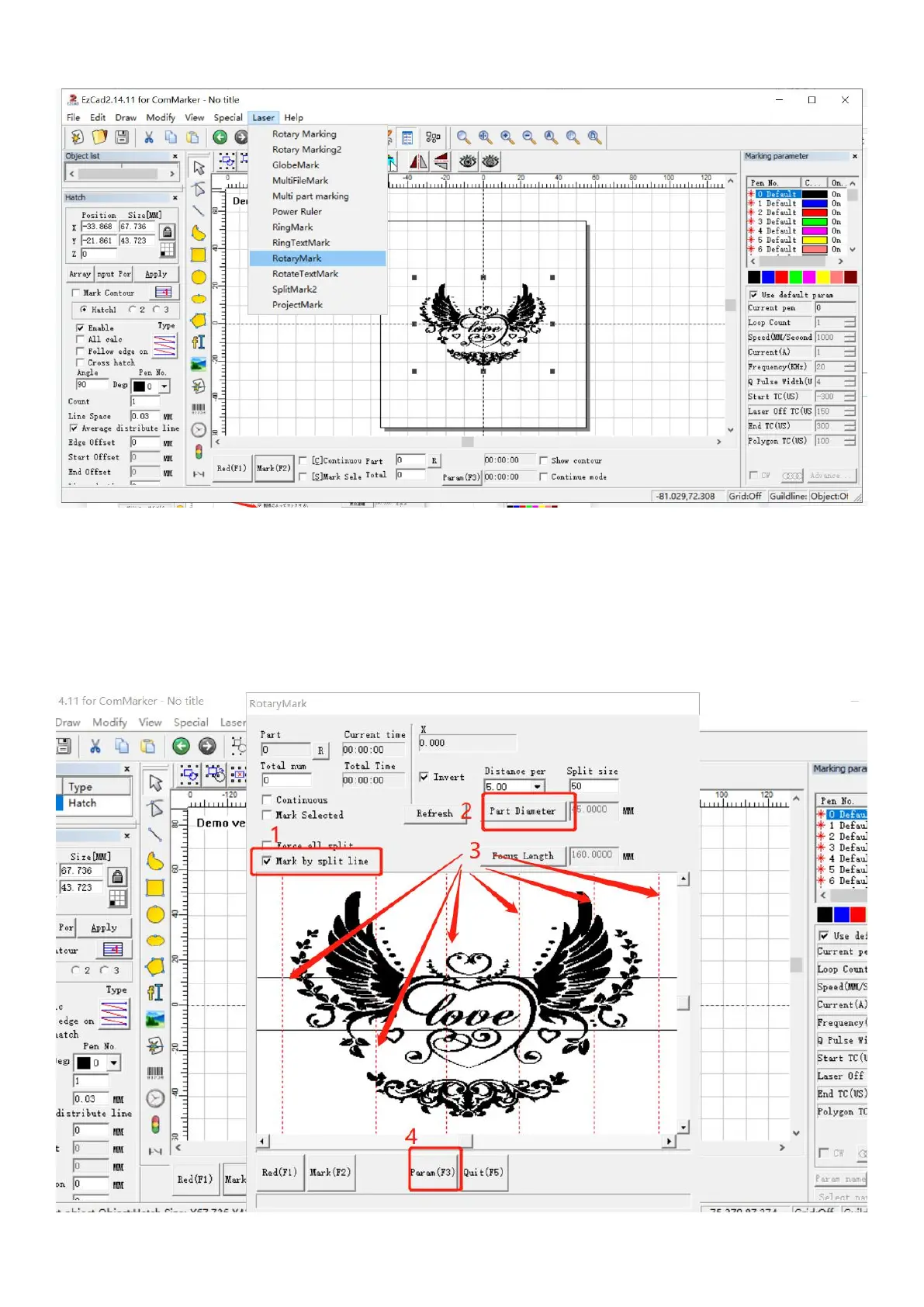
2. Select “Rotary Mark” in the menu
2. Tick “Mark by split line”. Input diameter number according to the object diameter. And set the middle lines
1) Double click to create line
2) Right click to delete line
3) Drag with mouse to move the line
Note: make sure the diameter number consistent with the object diameter.



 To Next Page