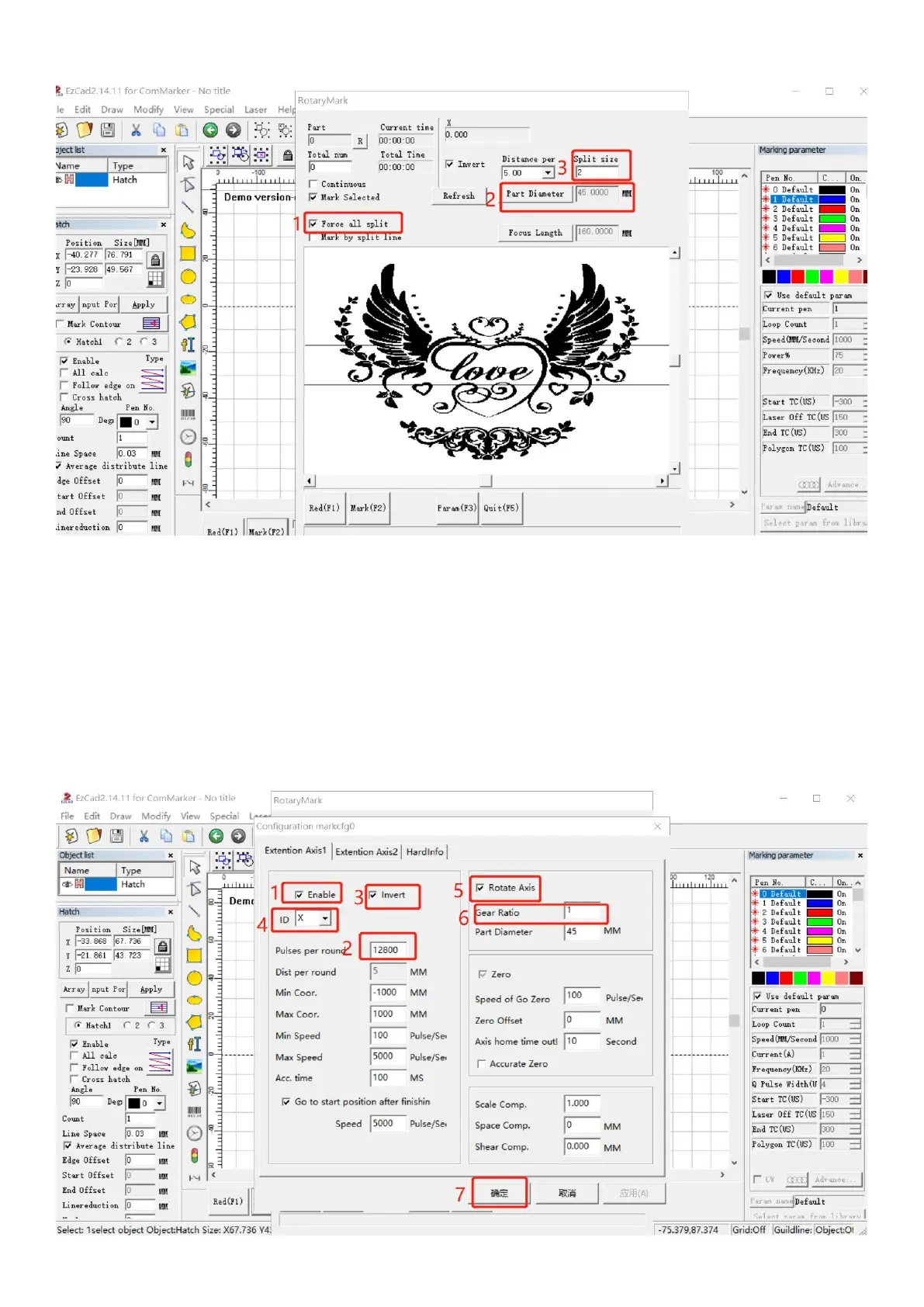
3. Or, instead of following step 4, simply tick “Force all split”, Input diameter number and change the “Split Size”
4. Click “Param (F3)” and set the parameters
(1) Tick “Enable”
(2) Input the pulses per round number “12800”
(3) Tick “reverse” if you want to change the marking orders of the words
(4) Select the appropriate axis X or Y according to the placement direction of the roller
(5) Click “Rotate Axis”
(6) Change the number of Gear Ratio. Input a bigger number if you find the marking graph overlaps, input a smaller
number if there are gaps. This process may take many times to test with new numbers (with accuracy of 2 digits after the
decimal point) before you get a satisfied result.
(7) Click "OK(确认)"



 To Next Page