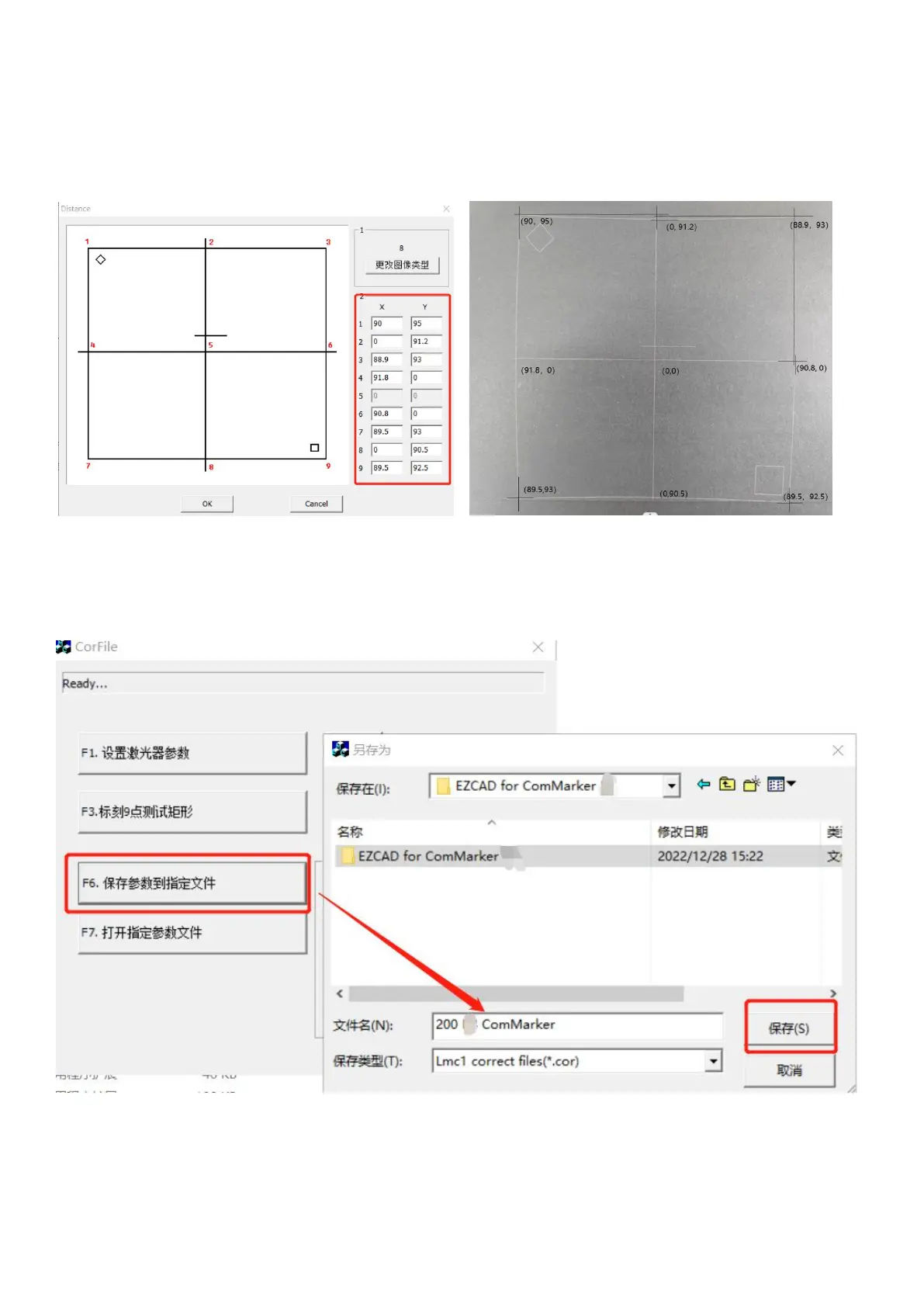
(6) According to the coordinate position of each point corresponding to the marking graph and the graph displayed by the
software. Take point 5 as the center coordinate (0, 0). Use a ruler to measure the corresponding coordinates of each point
on the black photo paper, take the absolute value (accurate to one decimal place) and fill in the corresponding coordinate
column of the dialog box. Click "OK" to return to the upper interface after finishing
Note : Make sure the ruler is absolutely horizontal or vertical and measuring lines goes through the 9 points when
measuring.
(7) Click "F6” to generate “calibration file”. The following dialog box appears, please specify a file name for the file,
otherwise it will fail to save, such as "200 ComMarker". Be sure to remember the file directory location



 To Next Page