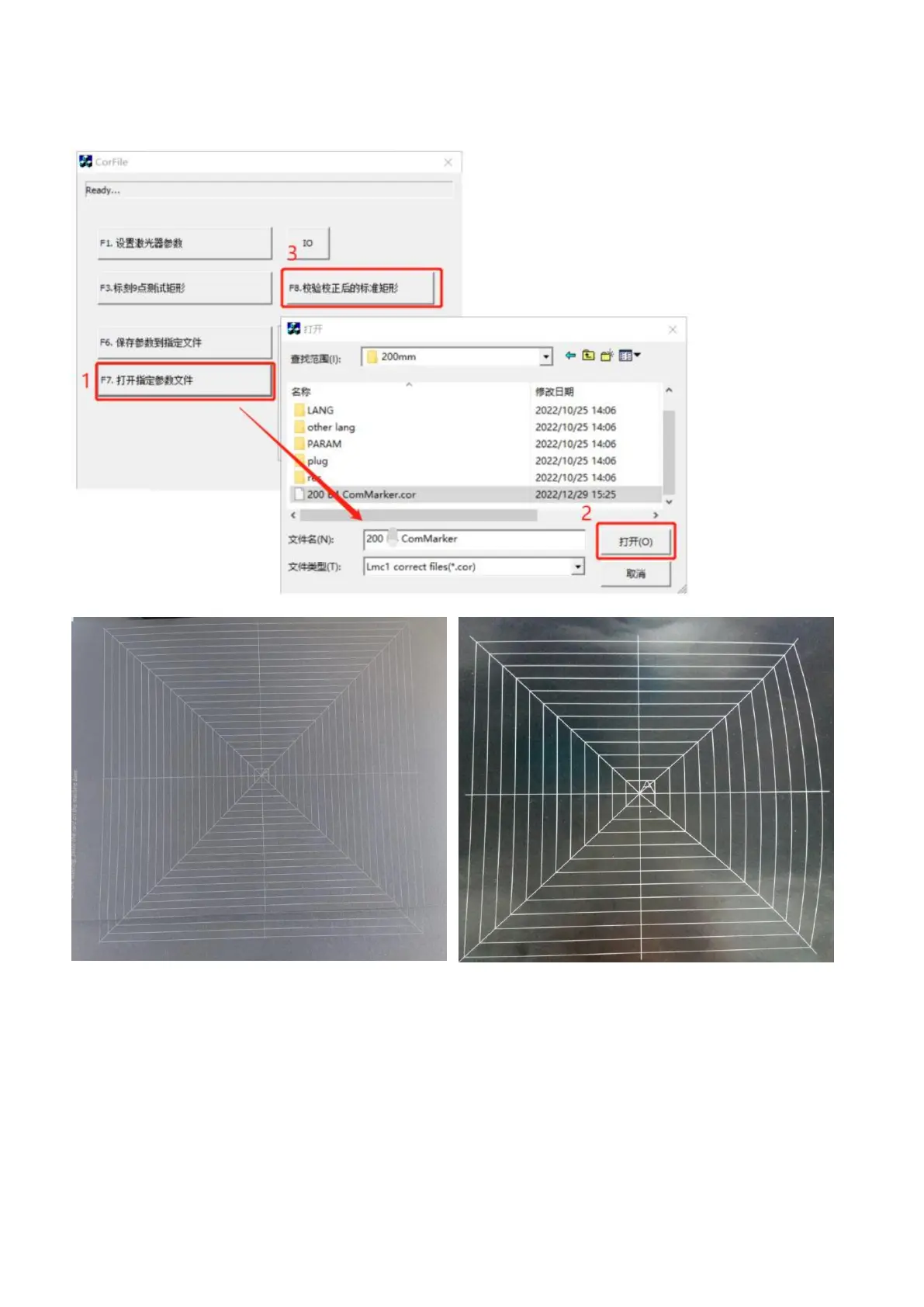
(8) Click "F7”to verify calibration, open the calibration file just saved. And click “F8” to mark the calibrated rectangle.
Note: If it is a regular rectangle like the picture on the left, it proves the success of the correction. If the shape of the
picture on the right is seriously deformed, it needs to be recalibrated.
(9) Import the calibration file for 200mm lens in the software EZCAD2, please refer to Operation Instructions ---> Step 3
Importthe correction file



 To Next Page