FAQ
Q1: The driver installation was unsuccessful?
*Please make sure to use the copyrighted window system, if not, please replace it with another computer
*Please try to replace a data cable, it is recommended to use a magnetic proof cable
*It may be a computer port problem or a computer board connection problem. The front USB ports of a desktop case are
easily damaged. Please try with the port at the rear or try another computer
* Make sure the machine is on, keep the emergency button not pressed and data cable connected
*Please contact after-sales staff or email us
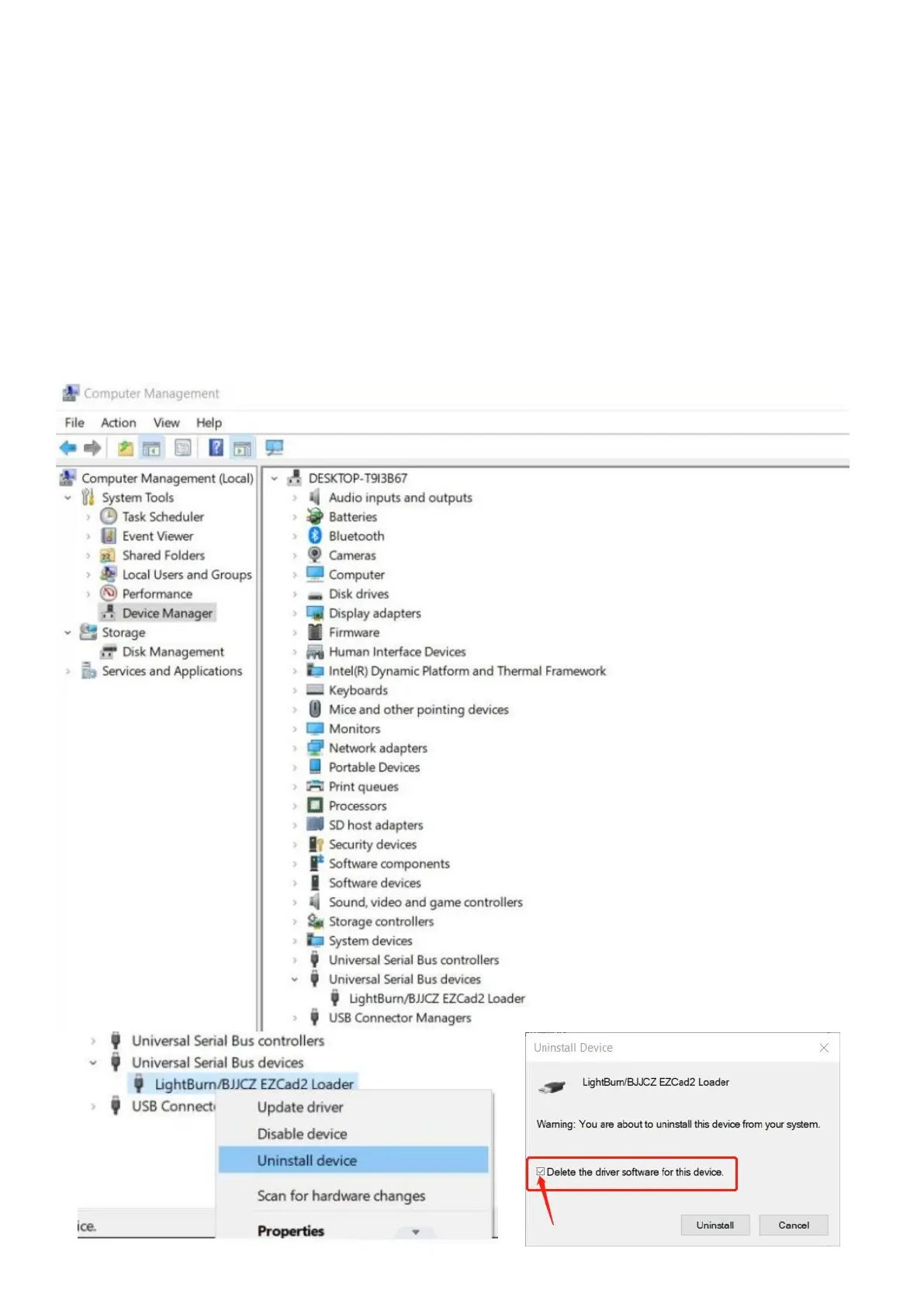
Q2: The driver in the device manager is different from the instruction in this manual.
*It happens because another driver has been installed in the computer; it could be Lightburn driver or any other one
which is for other laser machines. Please uninstalled the incorrect driver and don’t forget to delete the driver.



 To Next Page