Q8: Some of the engraving areas are clear and other parts are light
*Please make sure that the field lens is clean, if the field lens is dirty, the laser light transmission is uneven. Please clean
the field lens carefully.
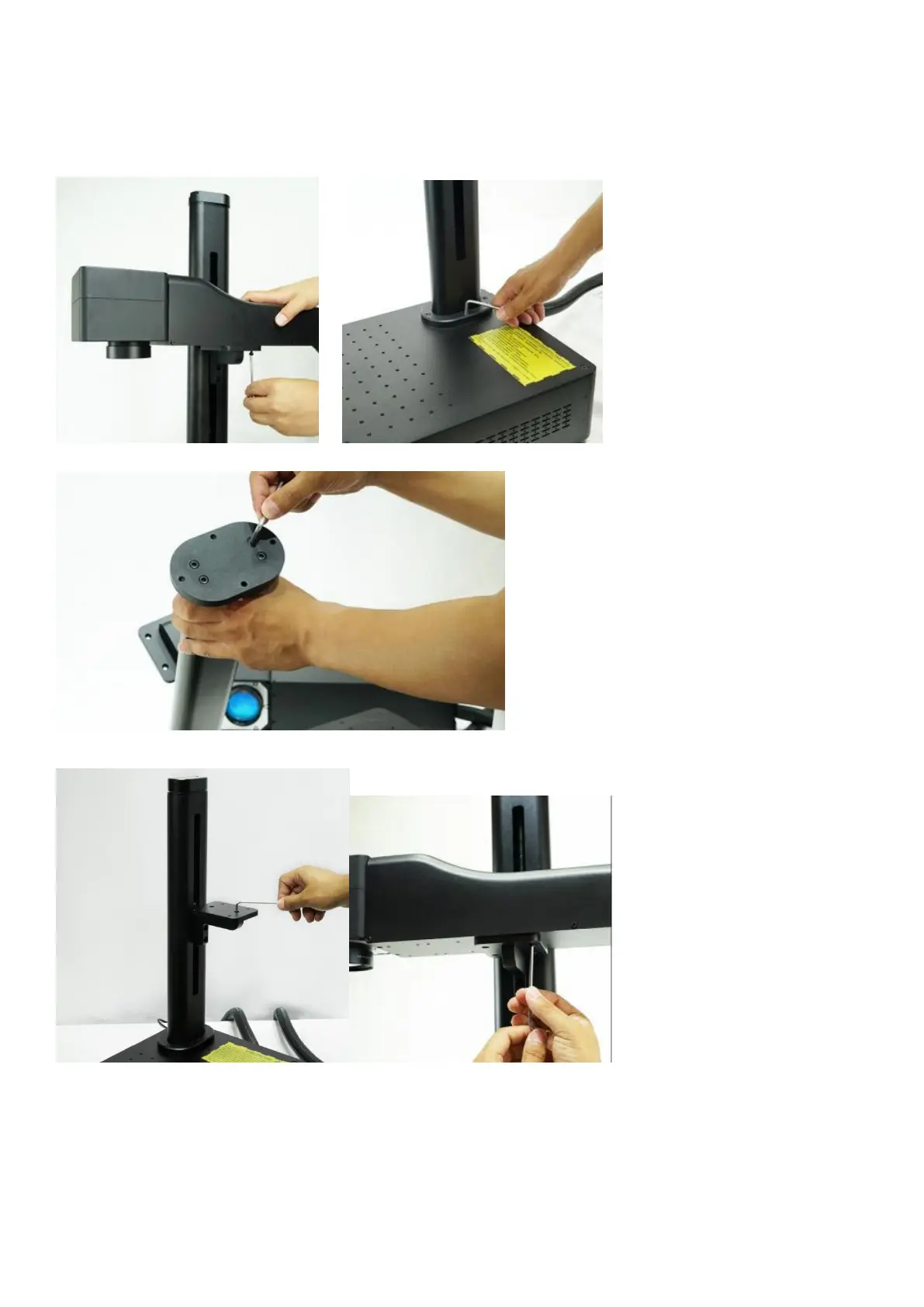
*The front and rear of the optical path are not on horizontal level, because the 4 screws connecting the column with the
optical path and the 4 screws connecting the machine table are not fixed properly, please loosen them again and fix again.
*Make sure the oval base of the pole is perpendicular to the pole.
*Re-tighten the screws of the metal parts supporting the optical path
Q9: There is only one dot of preview and marking laser
*The galvanometer is not powered, remove the cover on the optical path, and check whether the DB15 cable or DB25
cable is disconnected. Please reconnect if it is disconnected.



 To Next Page