*If it still doesn't work, please contact after-sales team by email.
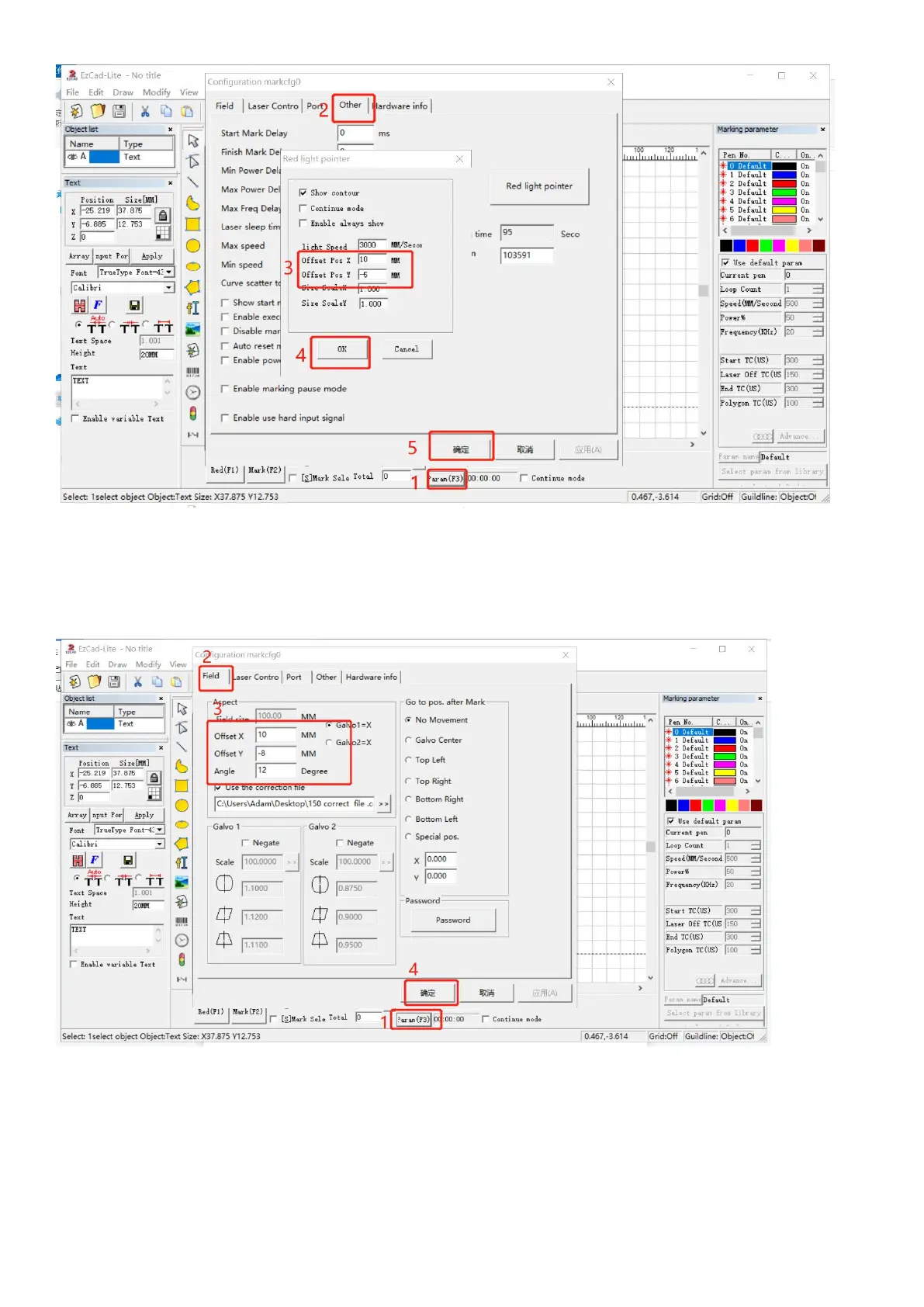
Q7: How to change the physical marking area in the software?
*Click “Parameter (F3)", select "Field". Input numbers in “Offset X", "Offset Y" or “Angle “according to the actual deviation
number based on the measurement with a ruler. This function is important when you want to use a placing helper.



 To Next Page