Machine Operation Instructions
1. Install the driver
Note: please conduct the following operation before installing the driver
1) The machine is on; 2) Keep the emergency button not pressed; 3) Data cable with the computer is
connected ; 4) The Type-C data cable connecting the column to the back of the machine is attached
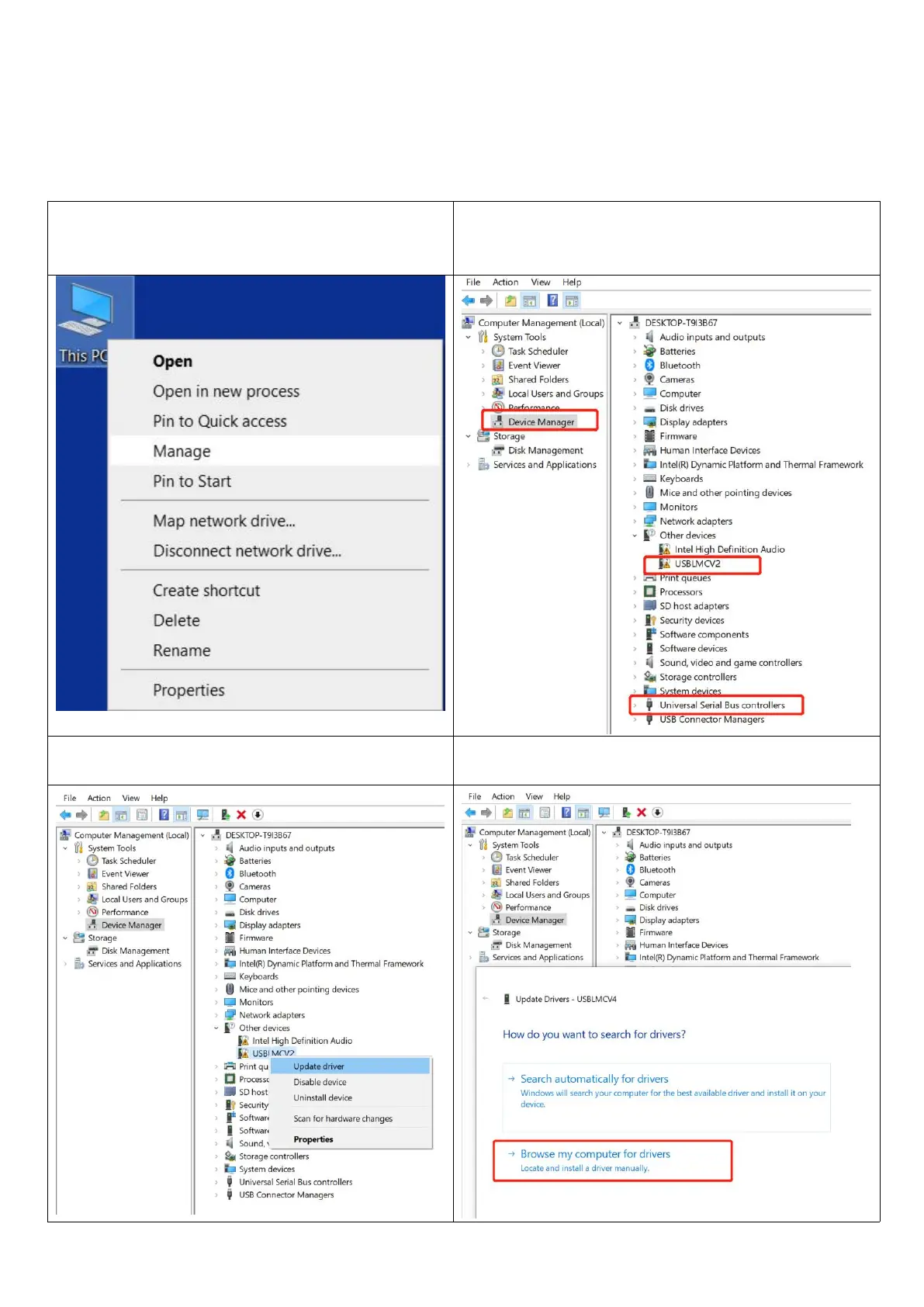
1.Right-click "this PC", click "Manage"
2.Click "Device Manager", find “USBLMCV2”, “USBLMCV4” or
“Unknown Device” in “Other devices” or “Universal Serial
Bus devices”
3.Right-click “USBLMCV2”, “USBLMCV4” or “Unknown
Device” and "Update driver"
4.Select "Browse My Computer for Drivers"



 To Next Page