The visitor
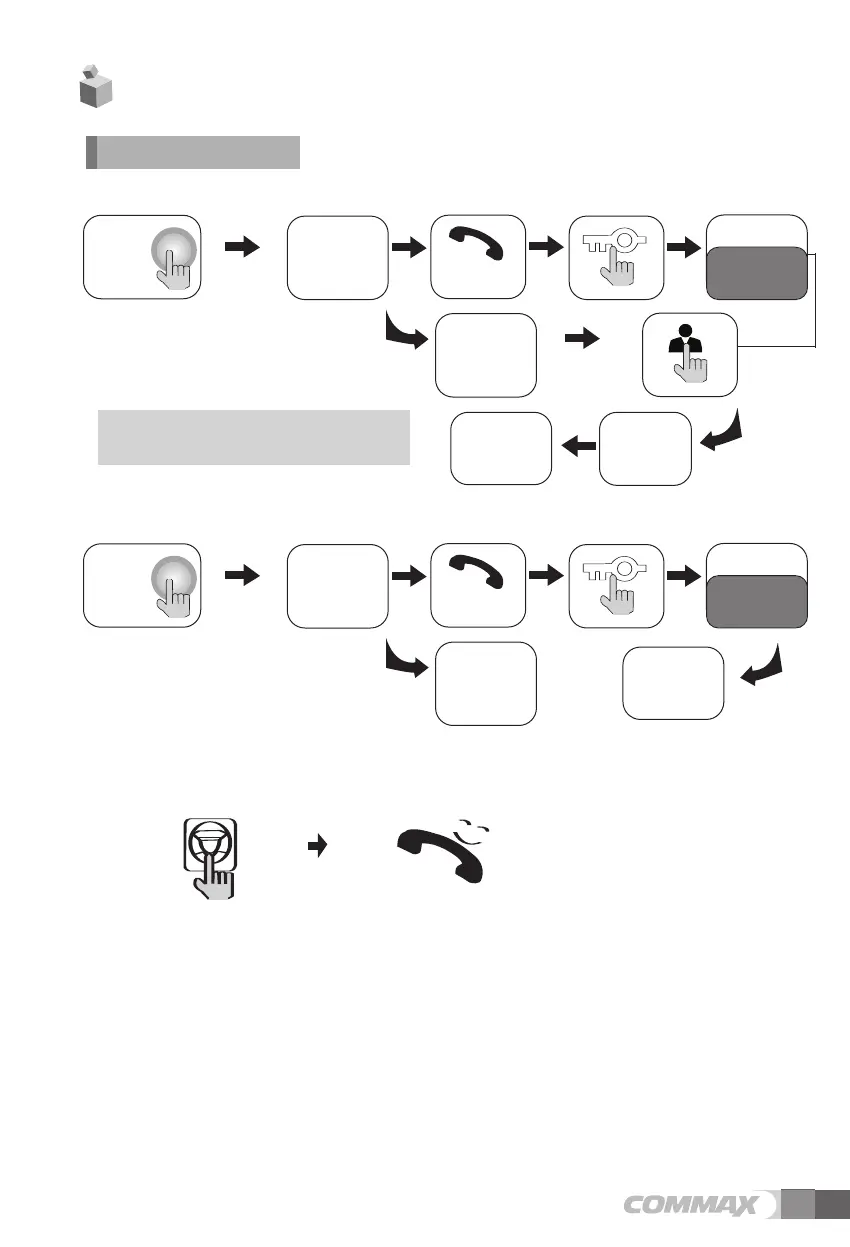
presses the
call button on
the camera
A chime
sounds
To check
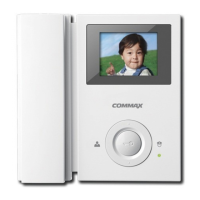
The visitor’s
image appears
on the monitor
Hang-up the
handset
Ends the call
A view of the front door can be seen anytime the
entrance button is pressed and a dialog can be made
with anyone at the front door.
Dialog duration
60 seconds at
a time
Open the door
T
T
h
h
e
e
d
d
o
o
o
o
r
r
r
r
e
e
l
l
e
e
a
a
s
s
e
e
f
f
u
u
n
n
c
c
t
t
i
i
o
o
n
n
o
o
p
p
e
e
r
r
a
a
t
t
e
e
s
s
o
o
n
n
l
l
y
y
w
w
h
h
e
e
n
n
t
t
h
h
e
e
v
v
i
i
s
s
i
i
t
t
o
o
r
r
’
’
s
s
i
i
m
m
a
a
g
g
e
e
i
i
s
s
d
d
i
i
s
s
p
p
l
l
a
a
y
y
e
e
d
d
o
o
n
n
t
t
h
h
e
e
s
s
c
c
r
r
e
e
e
e
n
n
Dialog begins
1-1. Call from the individual entrance
1-2. Call from the common entrance
1-3. Communication between guard station and household
① Paging guard station
✽ Pick up the handset and press Security call button
✽ Emit call sound.
✽ Dialog begins when the security answers.
② Call from guard station
✽ Power light blinks with call sound.
✽Pick up the handset and talk.
✽ hang up the handset when the conversation is finished.
The visitor
presses the
call button on
the camera
A chime
sounds
The visitor’s
image appears
on the monitor
Ends the call
Dialog duration
60 seconds at
a time
Open the door
T
T
h
h
e
e
d
d
o
o
o
o
r
r
r
r
e
e
l
l
e
e
a
a
s
s
e
e
f
f
u
u
n
n
c
c
t
t
i
i
o
o
n
n
o
o
p
p
e
e
r
r
a
a
t
t
e
e
s
s
o
o
n
n
l
l
y
y
w
w
h
h
e
e
n
n
t
t
h
h
e
e
v
v
i
i
s
s
i
i
t
t
o
o
r
r
’
’
s
s
i
i
m
m
a
a
g
g
e
e
i
i
s
s
d
d
i
i
s
s
p
p
l
l
a
a
y
y
e
e
d
d
o
o
n
n
t
t
h
h
e
e
s
s
c
c
r
r
e
e
e
e
n
n
Dialog begins
1. Calling of visitor
4. Operation
5


 To Next Page