10
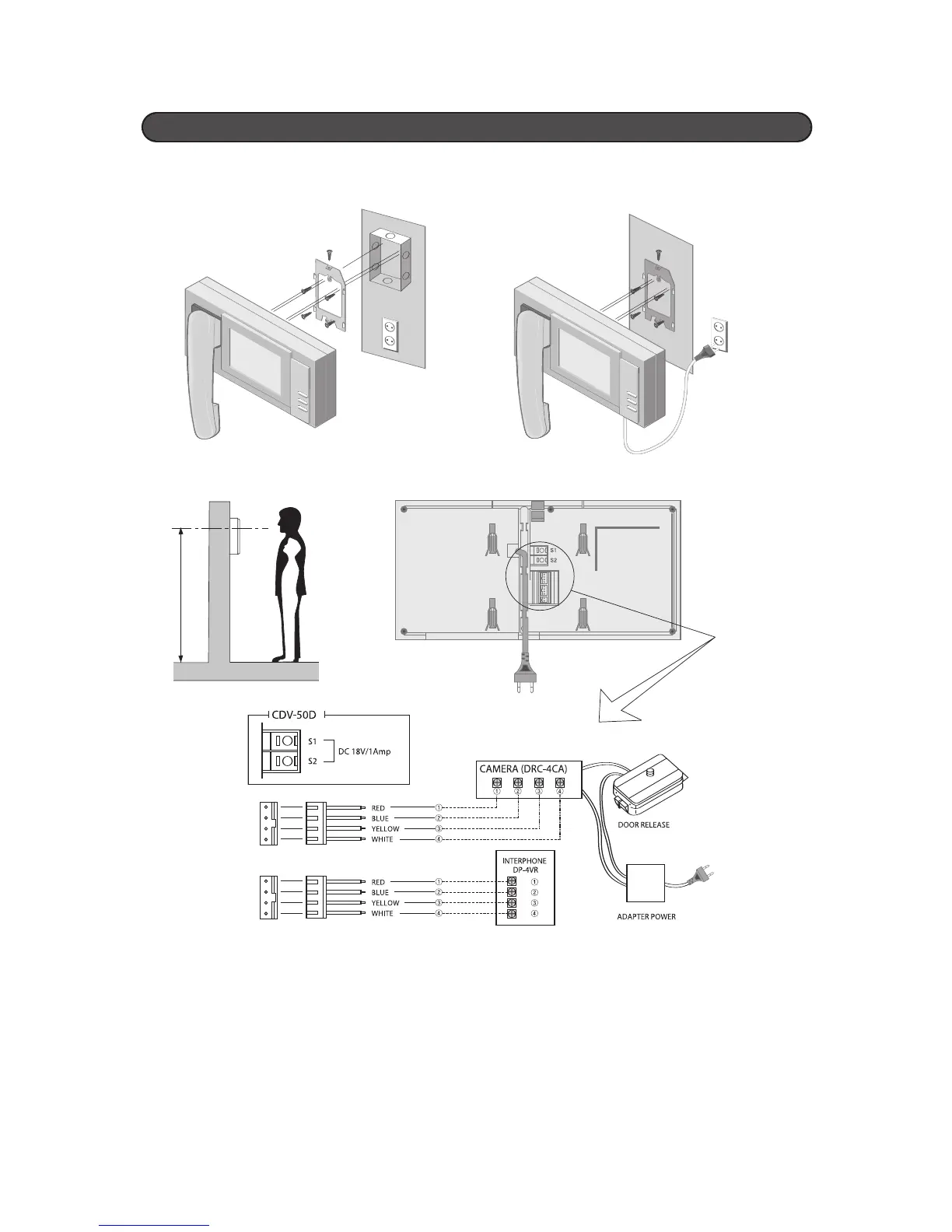
For Flush Box Installation For Semi-surface on the wall Installation
Monitor Standard Installation
Wiring
Notice
: 1. 4wires and polarity
2. Connect wires1, 2, 3, 4 from the camera to the monitor in the same order
3. The power must be turned off before connecting the monitor and camera.
Caution : 1. Use the coaxial cable to prevent electric schcok.
2. Do not short lines outside and inside lines
3. Connect that monitor and camera, monitor power ON/OFF level is OFF level


 To Next Page