EasyManua.ls Logo

Commax DRC-4CANC - User Manual

Commax DRC-4CANC
18 pages
Print Icon
To Next Page IconTo Next Page
Loading...
Thank you for purchasing COMMAX products.
Please carefully read this User’s Guide (in particular, precautions for safety) before using a product and follow
instructions to use a product exactly.
The company is not responsible for any safety accidents caused by abnormal operation of the product.
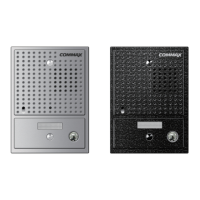
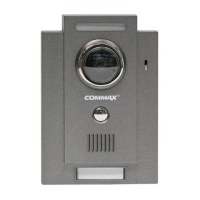
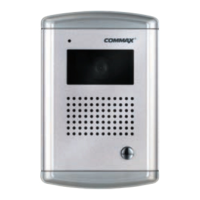
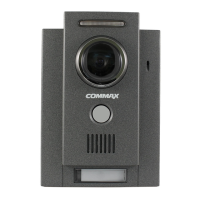
OUT DOOR CAMERA DRC-4BA/DRC-4BAN/DRC-4CA/DRC-4CAC//DRC-4CAN/DRC-4CANC
User Manual
Question and Answer IconNeed help?

Do you have a question about the Commax DRC-4CANC and is the answer not in the manual?

Summary

Important Safeguard

Preparation

Preparation - Safety Guidelines

Guidelines for safe operation, including handling of objects and connectors.

Preparation - Installation Requirements

Instructions for proper installation, ventilation, and placement to avoid hazards.

Location and Control of Functions

Function - Camera Field of View Adjustment

Instructions for manually adjusting the camera's angular field of view.

How To Installation

Note On Use and Installation

Troubleshooting Guide

Troubleshooting - Getting Help

Instructions on contacting support and conditions requiring qualified service personnel.

Summary

Important Safeguard

Preparation

Preparation - Safety Guidelines

Guidelines for safe operation, including handling of objects and connectors.

Preparation - Installation Requirements

Instructions for proper installation, ventilation, and placement to avoid hazards.

Location and Control of Functions

Function - Camera Field of View Adjustment

Instructions for manually adjusting the camera's angular field of view.

How To Installation

Note On Use and Installation

Troubleshooting Guide

Troubleshooting - Getting Help

Instructions on contacting support and conditions requiring qualified service personnel.

Overview

This document is a user manual for COMMAX outdoor cameras, specifically models DRC-4BA, DRC-4BAN, DRC-4CA, DRC-4CAC, DRC-4CAN, and DRC-4CANC. It provides essential information for the safe and effective use, installation, and maintenance of these devices, which are designed for smart home and security applications.

Function Description

The COMMAX outdoor camera system is designed to enhance home and facility security by providing visual surveillance and communication capabilities. It allows for two-way communication with residents when the "CALL" button is pressed, enabling interaction with visitors at the door. The camera captures images of the area, which can be viewed on a connected monitor. The system is suitable for various environments, including homes, factories, offices, hotels, apartments, and other commercial facilities, offering positive visual and convenience in daily life.

Usage Features

The camera system operates on 12V DC power, which is supplied from the connected monitor. It features a built-in CCD or CMOS camera lens, depending on the model, with a specific angular field of view (Horizontal: 68°, Vertical: 50°). The DRC-4BA and DRC-4BAN models feature a Black & White CCD 1/3"± lens, while the DRC-4CA, DRC-4CAC, and DRC-4CAN models utilize a Color CCD 1/4"± lens or a Color CMOS 1/4" lens.

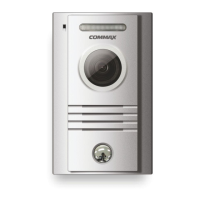
Key components for user interaction include a microphone for speaking to visitors, a speaker for hearing residents' responses, and a "CALL" button to initiate communication. Some models, such as DRC-4BAN and DRC-4CAN, also include a name card slot to indicate the resident's address.

The camera's angular field of view can be manually adjusted to optimize surveillance coverage. This adjustment is performed from the rear of the unit. The system is designed for easy installation, often featuring a recess-flushed box and rain protection housing, making it suitable for outdoor use. The covert design of the DRC series allows for discreet integration into various architectural styles.

Maintenance Features

Proper maintenance is crucial for the longevity and optimal performance of the COMMAX outdoor camera. Users are advised to read the user guide carefully, especially the safety precautions, to ensure correct operation.

Safety Precautions:

  • Power: The unit operates on 12V DC. To prevent fire or shock hazards, do not expose the unit to rain or moisture. The power plug is polarized and should fit into the outlet only one way; if it doesn't, contact an electrician. Do not overload power outlets or extension cords.
  • Installation Environment: Ensure adequate air circulation to prevent internal heat build-up. Avoid placing the unit on surfaces that block ventilation slots or near heat sources like radiators, air ducts, direct sunlight, excessive dust, mechanical vibration, or shock. Keep the unit and glass away from strong magnets.
  • Physical Handling: Do not drop the camera or subject it to strong shock or vibration, as this can cause malfunction. Never push objects into the product's openings, as this may lead to electric shock or fire. Do not spill liquid on the product.
  • Camera Usage: Do not aim the camera directly at the sun or intense light sources, as this can cause bloom, smear, or vertical stripes on the screen, though these are not malfunctions.
  • Internal Parts: Do not touch the internal parts of the camera unless specified, as this can cause malfunction.
  • Water Exposure: If the camera gets wet, turn off the power immediately and contact a dealer.
  • Noise Interference: If video noise appears due to cables being wired near electric lines or TV sets, relocate the cables or reinstall equipment.
  • Environmental Conditions: Avoid using the camera in temperatures hotter or colder than specified, as this can affect image quality and internal parts. Special care is needed in high temperature and humidity environments.
  • Long-term Storage: If the camera will not be used for an extended period, unplug it.

Cleaning:

  • Clean the cabinet, glass, and controls with a dry, soft cloth or a soft cloth lightly moistened with a mild detergent solution.
  • Do not use solvents like alcohol or benzene, as they can damage the finish.

Troubleshooting:

  • Before calling for service, check basic connections and power supply. Ensure the unit is plugged into a DC receptacle and that all cables are correctly connected.
  • Do not attempt to disassemble the unit yourself; this should only be done by qualified personnel to avoid voiding the warranty and potential hazards.
  • If problems persist, contact your COMMAX dealer or Customer Service. Unplug the unit and refer servicing to qualified personnel if the power supply is damaged, the unit has been exposed to rain or water, a solid object or liquid has fallen into it, or if it exhibits a distinct change in performance or fails to operate normally.

Warranty:

COMMAX provides a limited warranty for normal home use. For ninety days from the original purchase date, COMMAX will repair or replace defective products at no charge. For an additional nine months, COMMAX will provide defective parts, but labor is not included. Parts may be new or rebuilt at COMMAX's option. To obtain warranty service, deliver the unit prepaid to a COMMAX authorized service facility. The warranty does not cover incidental or consequential damages arising from the use or inability to use the product.

Commax DRC-4CANC Specifications

General IconGeneral
TypeVideo Door Phone
DisplayNot Applicable
Camera SensorCMOS
CameraYes
Night VisionYes
AudioTwo-way communication
Wiring4-wire
Mounting TypeSurface Mount
Power Supply12V DC
Camera Angle75°
Operating Temperature-10°C ~ +50°C

Related product manuals