This document serves as a user manual for a Commercial Chef microwave oven, providing comprehensive instructions for its safe operation, setup, use, and maintenance. It is designed to guide users through various cooking functions and ensure the longevity of the appliance.
Function Description
The Commercial Chef microwave oven is primarily designed for heating, cooking, and drying food using microwave energy. It offers a range of cooking functions to accommodate different food types and user preferences. The core functionality revolves around microwave cooking, allowing users to set specific cooking times and power levels. The oven is equipped with a turntable system to ensure even heating of food.
Key functions include:
- Microwave Cook: This is the primary mode for general cooking, allowing users to set a desired cooking time and select from 11 available power levels, ranging from 10% to 100%. The default power level is 100%, but it can be adjusted as needed during the cooking process.
- Speedy Cooking: For quick heating, the oven offers instant cooking at 100% power. Users can initiate cooking for 1 to 6 minutes directly, or incrementally add 30-second intervals by pressing the "START/+30SEC." button. The maximum cooking time in this mode is 99 minutes and 99 seconds.
- Weight Defrost: This feature allows for defrosting food based on its weight. Users input the weight of the food (ranging from 4 to 100 ounces), and the oven automatically calculates the appropriate defrosting time.
- Time Defrost: Alternatively, users can manually set a specific defrosting time, ranging from 1 second to 99 minutes and 99 seconds. The default power level for time defrost is level 3, which can also be adjusted.
- Auto Menu Functions: The microwave includes pre-programmed settings for common food items, simplifying the cooking process. These include:
- Popcorn: Settings for 1.75, 3.0, and 3.5 ounces of popcorn.
- Potato: Settings for 1, 2, or 3 potatoes (approximately 8.0, 16.0, or 24.0 ounces respectively).
- Frozen Vegetable: Settings for 4.0, 8.0, and 16.0 ounces of frozen vegetables.
- Beverage: Settings for 1, 2, or 3 cups (approximately 120ml per cup).
- Dinner Plate: Settings for 9.0, 12.0, and 18.0 ounces.
- Memory Function: This allows users to save up to three custom cooking procedures for quick access. A saved procedure can consist of one or two stages of cooking. If power is lost, these settings will need to be reprogrammed.
- Multi-Stage Cooking: The oven supports cooking in up to two stages. If one of the stages involves defrosting, it will automatically be set as the first stage. Auto menu functions are not compatible with multi-stage cooking.
- Clock Setting: Users can set the current time in a 12-hour format.
- Kitchen Timer: A separate timer function allows for setting a countdown up to 99 minutes and 99 seconds, independent of cooking operations.
- Child Lock Function: This safety feature prevents unintended operation of the oven, particularly by children. It is activated by pressing and holding the "STOP/CANCEL" button for 3 seconds.
- Inquiring Function: During cooking, users can inquire about the current time or the microwave power level being used.
- Cooking End Reminder Feature: The oven provides an audible alert (5 beeps) when cooking is completed.
Usage Features
The microwave oven is designed for user-friendly operation with a clear control panel.
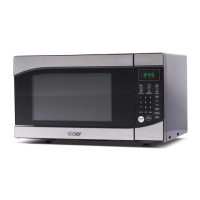
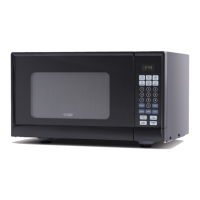
- Control Panel: The control panel features dedicated buttons for various functions, including "TIME COOK," "TIME DEFROST," "WEIGHT DEFROST," "POWER," "CLOCK," "KITCHEN TIMER," and specific auto menu buttons for "POPCORN," "POTATO," "PIZZA," "FROZEN VEGETABLE," "BEVERAGE," and "DINNER PLATE." Number buttons (0-9) are used for inputting times and weights. The "START/+30SEC." button initiates cooking and can also add 30 seconds to the cooking time, while the "STOP/CANCEL" button clears settings or stops cooking.
- Turntable System: The appliance includes a glass tray and a turntable roller ring, which must always be in place during operation to ensure food is heated evenly. Food and containers are placed directly on the glass tray.
- Door Safety Lock System: The oven is equipped with safety interlocks to prevent operation when the door is open. It is crucial not to tamper with these safety features.
- Utensil Guide: The manual provides a detailed guide on which utensils are safe for microwave use, which have limited use, and which should be avoided entirely. Generally, microwave-safe glass, ceramic, and plastic are recommended. Metal, foil (in large amounts), and certain types of paper or plastic are to be used with caution or avoided due to the risk of arcing, fire, or damage to the oven.
- Cooking Techniques: The manual offers tips for optimizing cooking results, such as stirring food for even heat distribution, arranging unevenly shaped foods with thicker parts towards the outside, shielding delicate areas with small strips of aluminum foil, turning large foods midway through cooking, allowing food to stand after cooking to complete the process, and adding moisture to dry foods.
Maintenance Features
Proper maintenance is essential for the safe and efficient operation of the microwave oven.
- Cleaning Surfaces: The interior and exterior surfaces of the oven, including the door and control panel, should be cleaned regularly with mild, non-abrasive soaps or detergents and a soft, damp cloth. Harsh cleaners, sprays, or abrasive materials should be avoided to prevent damage.
- Glass Tray and Roller Ring: The glass tray and roller ring should be removed and washed in warm, sudsy water or in a dishwasher. It is important to ensure they are replaced in their proper positions before operating the oven.
- Odor Removal: To eliminate odors, a simple method involves microwaving a cup of water with lemon juice and skin in a deep bowl for 5 minutes, then wiping the oven thoroughly.
- Ventilation: The oven requires sufficient airflow, with specified clearances around the back and sides, and above the unit. Ventilation openings should not be covered or blocked.
- Mica Plate: The mica plate covering the wave guide inside the oven cavity should never be removed.
- Service and Repair: The manual emphasizes that the oven should only be serviced by qualified personnel. Users are advised not to attempt to adjust or repair the oven themselves, especially due to the presence of high voltage components.
- Disposal: The appliance should not be disposed of in domestic rubbish bins but taken to a designated disposal center provided by municipalities.
The manual also includes important safety information, grounding instructions, and troubleshooting tips to address common issues, ensuring users can operate and maintain their microwave oven effectively and safely.

 Need help?
 General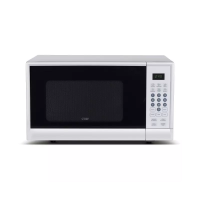

 To Next Page