
 Need help?
Do you have a question about the commercial cool CPA14XCJ and is the answer not in the manual?
Keep a record of your model and serial numbers for future reference and service calls.
Proper grounding, outlet use, no adapters/extensions, and cord condition checks.
Avoid blocking airflow, unplug before service, no combustible atmospheres, no objects on top.
Operate with filters, avoid water proximity, ensure proper installation.
Keep the manual safe; clean the product with a damp cloth, avoiding liquids.
Avoid unstable surfaces and spilling liquids on the control panel; do not dismantle.
Highlights ease of operation, water evaporation, window kit, casters, and filter access.
Emphasizes the unit's portability and ease of storage when not in use.
Lists included parts and initial steps for window panel adjustment and adapter attachment.
Guides for installing the window panel and connecting the exhaust hose.
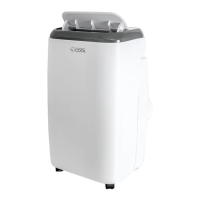
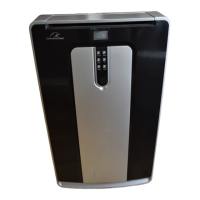
Identifies key external parts of the air conditioner unit.
Details the power cord, TEST/RESET buttons, and cable storage.
Instructions for initial setup, placement, and avoiding obstructions.
Guidance on using modes, draining water, and auto-evaporation function.
Steps for preparing the unit for storage after use.
How to turn the unit on/off, select modes, and adjust fan speeds.
Instructions for setting the timer and adjusting temperature settings.
Explanation of the information displayed on the unit's LCD screen.
How to use the remote for power, mode, fan speed, timer, and temperature.
Interpretation of the LCD display when using the remote control.
Unplug before cleaning; clean filter weekly; use mild soap for cabinet.
Drain water, clean filters, cover, and store the unit.
Steps to resolve issues like unit not operating, not cooling, or tank full indicator.
Details warranty periods for parts, labor, compressor, and exclusions.
Requirement for sales receipt and how to obtain service from authorized depots.
 General
| Brand | commercial cool |
|---|---|
| Model | CPA14XCJ |
| Category | Air Conditioner |
| Language | English |


 To Next Page