EasyManua.ls Logo

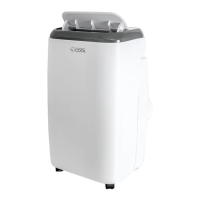
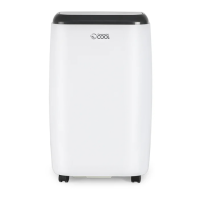
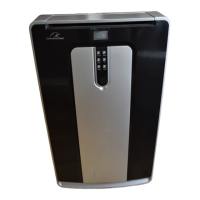
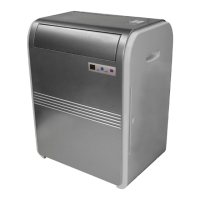
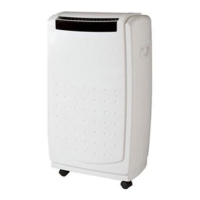
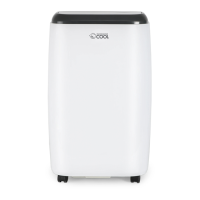
commercial cool CPT06WB - User Manual

commercial cool CPT06WB
84 pages
Print Icon
To Next Page IconTo Next Page
Loading...
Portable Air Conditioner
User Manual
CPT06WB, CPT08WB, CPT08HWB,
CPT10WB, CPT10HWB

Table of Contents

Question and Answer IconNeed help?

Do you have a question about the commercial cool CPT06WB and is the answer not in the manual?

Summary

Safety Information

Important Safety Instructions

Essential safety precautions for operating the appliance.

Handling Alkaline Batteries

Guidelines for safe handling and disposal of batteries.

Grounding Instructions

Electrical grounding requirements to prevent shock.

LCDI Power Cord and Plug

Information on the Leakage Current Detection and Interruption cord.

Safety Guidelines

Rules for safe operation and energy saving tips.

Operating Condition

Recommended room temperature ranges for different operating modes.

Set Up & Use

Parts & Features

Identification of all components of the air conditioner.

Specifications

Technical specifications including dimensions and weight.

Installation Location

Guidance on proper placement for optimal performance and safety.

Window Slider Kit Installation

Steps for installing the window slider kit for exhaust hose.

Casement Window Installation

Specific installation for double-hung sash or sliding casement windows.

Exhaust Hose Installation

Instructions for connecting the exhaust hose for heat/cool modes.

Control Panel Overview

Explanation of control panel buttons and indicator lights.

Operating from Control Panel

How to turn on and operate the unit using the control panel.

Cool Mode Operation

How to use the unit in cool mode, including fan speed.

Dehumidify Mode Operation

How to use the unit in dehumidify mode and its limitations.

Fan Mode Operation

How to use the unit in fan-only mode.

Heat Mode Operation

How to use the unit in heat mode (for applicable models).

Timer Functions

Setting automatic start and stop timers for the unit.

Indicator Lights (Swing, Sleep)

Explanation of swing and sleep indicator lights.

Remote Battery Installation

Guide on how to install batteries in the remote control.

Remote Control Operation

Detailed explanation of remote control buttons and functions.

LED Display Indicators

Meaning of the various indicators on the unit's LED display.

Remote Control Buttons (Power, Mode)

Explains Power and Mode buttons on the remote.

Remote Cool Mode

Operating the cool mode using the remote control.

Remote Dehumidify Mode

Operating the dehumidify mode using the remote control.

Remote Fan Mode

Operating the fan mode using the remote control.

Remote Heat Mode

Operating the heat mode using the remote control.

Remote Swing Function

Activating or deactivating the louver swing function.

Remote Timer Functions

Setting automatic start and stop timers using the remote.

Remote Sleep Function

How to use the sleep mode for gradual temperature adjustment.

Temperature Unit Selection

How to switch between Celsius and Fahrenheit.

Water Drainage (Cooling;Heat)

Procedures for draining water in cooling and heat modes.

Water Drainage (Dehumidification)

Procedures for continuous water drainage in dehumidification mode.

Cleaning & Care

Cleaning the Cabinet

Instructions for cleaning the exterior of the unit.

Cleaning the Filter

How to clean the air intake filter for efficient operation.

Start;End of Season Operations

Guidelines for preparing the unit for storage or use.

Troubleshooting & Warranty

Before You Call for Service

Initial troubleshooting steps for common operational issues.

Customer Service Contact

How to contact customer support for assistance and warranty.

Unit Not Starting Troubleshooting

Steps to resolve issues when the unit does not start.

Cooling Performance Troubleshooting

Steps to resolve issues when the unit is not cooling effectively.

Noise and Vibration Troubleshooting

Steps to resolve issues related to unusual noise or vibration.

Water Full Indicator Troubleshooting

Steps to resolve issues when the water full indicator is on.

Error Code Troubleshooting

Interpreting and resolving specific error codes displayed by the unit.

Remote Control Troubleshooting

Steps to resolve issues with the remote control not working.

Limited Warranty Information

Details of the product's warranty coverage, terms, and exclusions.

Summary

Safety Information

Important Safety Instructions

Essential safety precautions for operating the appliance.

Handling Alkaline Batteries

Guidelines for safe handling and disposal of batteries.

Grounding Instructions

Electrical grounding requirements to prevent shock.

LCDI Power Cord and Plug

Information on the Leakage Current Detection and Interruption cord.

Safety Guidelines

Rules for safe operation and energy saving tips.

Operating Condition

Recommended room temperature ranges for different operating modes.

Set Up & Use

Parts & Features

Identification of all components of the air conditioner.

Specifications

Technical specifications including dimensions and weight.

Installation Location

Guidance on proper placement for optimal performance and safety.

Window Slider Kit Installation

Steps for installing the window slider kit for exhaust hose.

Casement Window Installation

Specific installation for double-hung sash or sliding casement windows.

Exhaust Hose Installation

Instructions for connecting the exhaust hose for heat/cool modes.

Control Panel Overview

Explanation of control panel buttons and indicator lights.

Operating from Control Panel

How to turn on and operate the unit using the control panel.

Cool Mode Operation

How to use the unit in cool mode, including fan speed.

Dehumidify Mode Operation

How to use the unit in dehumidify mode and its limitations.

Fan Mode Operation

How to use the unit in fan-only mode.

Heat Mode Operation

How to use the unit in heat mode (for applicable models).

Timer Functions

Setting automatic start and stop timers for the unit.

Indicator Lights (Swing, Sleep)

Explanation of swing and sleep indicator lights.

Remote Battery Installation

Guide on how to install batteries in the remote control.

Remote Control Operation

Detailed explanation of remote control buttons and functions.

LED Display Indicators

Meaning of the various indicators on the unit's LED display.

Remote Control Buttons (Power, Mode)

Explains Power and Mode buttons on the remote.

Remote Cool Mode

Operating the cool mode using the remote control.

Remote Dehumidify Mode

Operating the dehumidify mode using the remote control.

Remote Fan Mode

Operating the fan mode using the remote control.

Remote Heat Mode

Operating the heat mode using the remote control.

Remote Swing Function

Activating or deactivating the louver swing function.

Remote Timer Functions

Setting automatic start and stop timers using the remote.

Remote Sleep Function

How to use the sleep mode for gradual temperature adjustment.

Temperature Unit Selection

How to switch between Celsius and Fahrenheit.

Water Drainage (Cooling;Heat)

Procedures for draining water in cooling and heat modes.

Water Drainage (Dehumidification)

Procedures for continuous water drainage in dehumidification mode.

Cleaning & Care

Cleaning the Cabinet

Instructions for cleaning the exterior of the unit.

Cleaning the Filter

How to clean the air intake filter for efficient operation.

Start;End of Season Operations

Guidelines for preparing the unit for storage or use.

Troubleshooting & Warranty

Before You Call for Service

Initial troubleshooting steps for common operational issues.

Customer Service Contact

How to contact customer support for assistance and warranty.

Unit Not Starting Troubleshooting

Steps to resolve issues when the unit does not start.

Cooling Performance Troubleshooting

Steps to resolve issues when the unit is not cooling effectively.

Noise and Vibration Troubleshooting

Steps to resolve issues related to unusual noise or vibration.

Water Full Indicator Troubleshooting

Steps to resolve issues when the water full indicator is on.

Error Code Troubleshooting

Interpreting and resolving specific error codes displayed by the unit.

Remote Control Troubleshooting

Steps to resolve issues with the remote control not working.

Limited Warranty Information

Details of the product's warranty coverage, terms, and exclusions.

commercial cool CPT06WB Specifications

General IconGeneral
Brandcommercial cool
ModelCPT06WB
CategoryAir Conditioner
LanguageEnglish

Related product manuals